
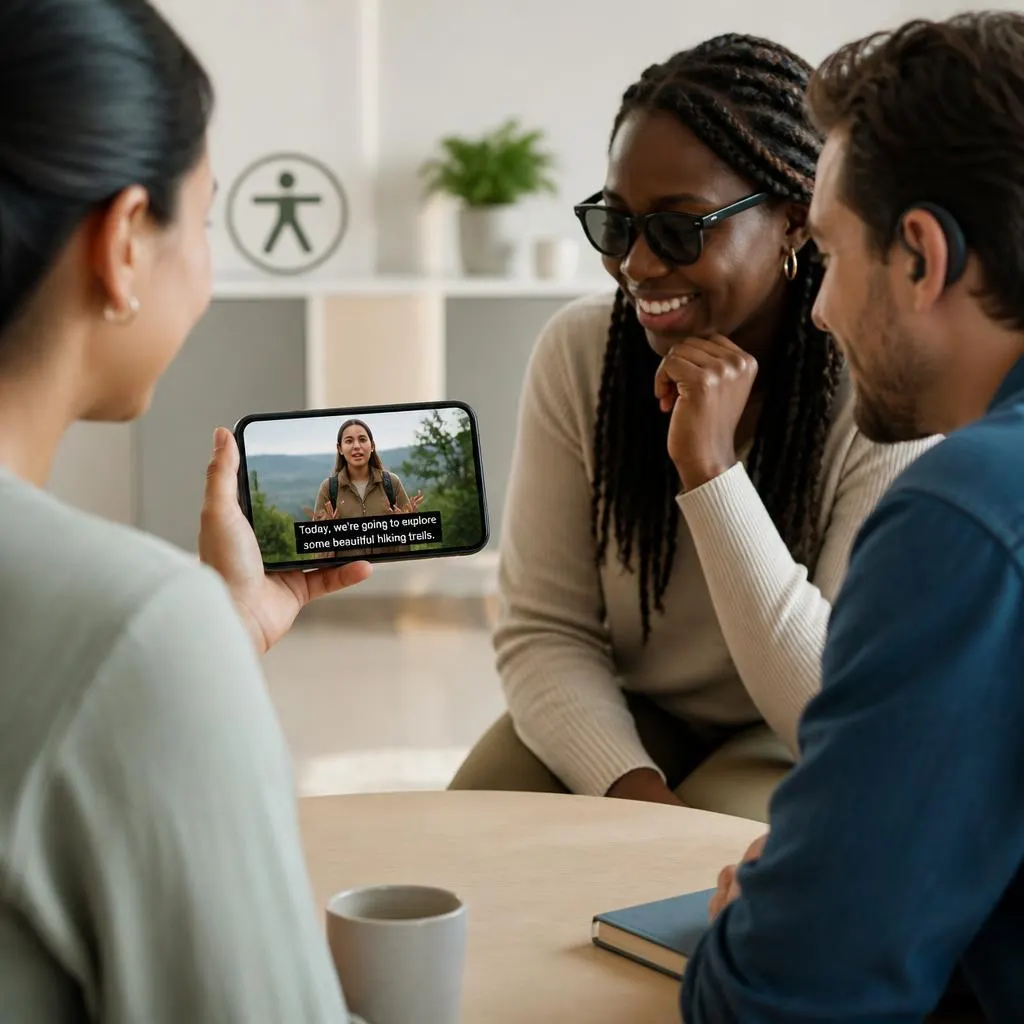
Quick Answer: Open captions are captions that are permanently displayed on a video and cannot be turned off by the viewer. They show spoken dialogue and can also identify meaningful sounds, music, speakers, or other audio information when needed. Because open captions are embedded directly into the video, everyone sees them regardless of their device or caption settings.
A video can communicate through more than sound. When viewers cannot hear the audio, captions provide another way to understand the conversation, instructions, and important sounds happening on screen. Open captions make that information visible from the start because they become a permanent part of the video rather than an optional setting.
his makes open captions useful in many everyday situations. Someone might watch a Reel in a quiet office, follow a tutorial in a noisy room, or rely on captions because hearing the audio is difficult. For creators, open captions also provide control over how text looks, where it appears, and how it fits into the visual style of a video.What Does Open Captions Mean?
Open captions are text that appears directly within a video and stays visible throughout playback. Viewers normally cannot switch these captions off because they are part of the video’s visual content.
For example, if a person says, “I finally finished the project,” an open caption can display the same sentence on the screen while the person speaks.
Open captions can also communicate important audio details, such as:
- The audience applauds.
- Soft music begins.
- A phone rings.
- The door closes.
- Maria: Are you ready?
- The crowd cheers.
These details can give viewers additional context, particularly when they cannot hear the video’s audio.
Open Captions vs. Closed Captions
The main difference between open and closed captions is control.
Open captions remain permanently visible because they are embedded into the video. Closed captions normally appear as a separate caption track that viewers can turn on or off through the video player.
| Feature | Open Captions | Closed Captions |
|---|---|---|
| Permanently visible | Yes | No |
| Can viewers turn them off? | No | Usually yes |
| Embedded into video | Yes | Usually no |
| Viewer controls | Limited | More flexible |
| Useful without sound | Yes | Yes |
| Supports accessibility | Yes | Yes |
| Common in social videos | Yes | Depends on platform |
Both formats can support accessible video. The better option depends on the audience, platform, content type, and level of viewer control required.
Why Open Captions Matter for Accessibility
Open captions can make video information more accessible by providing a visual version of spoken content.
They can benefit viewers who are deaf or hard of hearing, but accessibility does not stop there. Many people encounter videos in situations where listening to audio is difficult or inappropriate.
Open captions can help someone watching:
- On public transportation
- In a quiet workplace
- In a library
- In a classroom
- In a waiting room
- In a noisy environment
- Around sleeping family members
- On a device with limited audio
Because the captions remain visible, viewers do not need to search for a caption button before they can understand the spoken message.
How Open Captions Work
Creators usually add open captions during video editing. They can create a transcript manually, use an automatic transcription tool, or upload a prepared caption file before permanently placing the text into the video.
A typical process includes:
- Create a transcript of the spoken content.
- Check the transcript for mistakes.
- Divide the dialogue into readable sections.
- Synchronize each section with the speech.
- Select an accessible font and text size.
- Position captions where they do not hide important visuals.
- Review the complete video.
- Export the captioned version.
After export, the captions become part of the video itself.
Open Captions vs. Subtitles
Open captions and subtitles can look almost identical, but their purpose can differ.
Subtitles often focus mainly on spoken dialogue, particularly when translating speech into another language. Captions can provide dialogue along with relevant audio information that helps viewers understand the complete scene.
For example:
Subtitle:
- Where are you going?
Caption:
- Where are you going?
- Door slams.
The second example gives additional information about the sound taking place in the scene.
The word open describes how the text is displayed. It means the captions remain visible rather than being controlled by the viewer.
When Should You Use Open Captions?
Open captions can work well when you want every viewer to see the text automatically.
They are particularly useful for:
- Instagram Reels
- TikTok videos
- YouTube Shorts
- Facebook videos
- Educational tutorials
- Interviews
- Promotional videos
- Product demonstrations
- Public information videos
- Digital signage
- Social media advertisements
They are also helpful when the visual appearance of the captions forms part of the video’s design.
Open Captions for Social Media
Social media users often scroll through videos in environments where audio is unavailable or turned down. Open captions allow the central message to remain visible without requiring the viewer to activate a separate caption setting.
For short-form videos, keep captions:
- Short
- Easy to read
- Properly timed
- Large enough for mobile screens
- Clearly separated from busy backgrounds
- Positioned away from important visual elements
A good caption should support the video instead of competing with it.
How to Make Open Captions Accessible
Adding captions is only the first step. Their design and accuracy also affect accessibility.
Choose a Readable Font
Use a simple font that viewers can recognize quickly. Highly decorative fonts may look stylish but can reduce readability.
Use Strong Contrast
Caption text should clearly stand out from the background. A text outline, shadow, or solid background can help when the footage contains bright or complicated visuals.
Keep Caption Segments Short
Large blocks of text can overwhelm viewers. Break longer speech into natural sections that viewers can comfortably read.
Match Speech Timing
Captions should appear close to the moment the words are spoken. Poor timing can make viewers lose track of the conversation.
Protect Important Visuals
Avoid placing captions over faces, instructions, charts, products, or other important parts of the scene.
Check Automatic Captions
Automatic transcription can make mistakes. Review names, technical terms, numbers, accents, and unusual words before publishing.
Common Open Caption Mistakes
Poorly designed captions can make a video harder to follow.
Avoid these problems:
- Using extremely small text
- Displaying too many words at once
- Leaving captions on screen for too little time
- Using weak color contrast
- Covering important visuals
- Ignoring meaningful sound information
- Publishing automatic captions without proofreading
- Using inconsistent caption placement
- Adding unnecessary descriptions for minor background sounds
A clean captioning approach keeps the viewer’s needs at the center.
Are Open Captions Better Than Closed Captions?
Not necessarily. Each format solves a different problem.
Open captions work well when you want the text to remain visible to everyone. They are particularly practical for social media, public screens, and videos designed for silent viewing.
Closed captions offer more flexibility because viewers can usually choose whether they want to see them. They may also support additional controls or language options depending on the video platform.
If your audience needs control over caption visibility, closed captions may be preferable. If you want the message to remain visible regardless of viewer settings, open captions can be the better choice.
Open Caption Examples
Here are a few simple examples showing how open captions might appear in different types of videos.
Talking Head Video
- Thanks for being here today.
- Let me show you the easiest way to do this.
- I learned this after making a lot of mistakes.
- Here is the step that makes the biggest difference.
Tutorial Video
- Open the settings menu.
- Select the account option.
- Choose your preferred language.
- Save your changes.
Interview
- Host: What inspired you to start?
- Guest: I wanted to solve a problem I experienced myself.
- Host: What did you learn from that experience?
Emotional Scene
- I never thought we would make it this far.
- Soft music begins.
- They look at each other and smile.
Public Information Video
- Please keep your ticket available.
- The next train arrives in five minutes.
- Follow the signs toward the main entrance.
Open Captions for Educational Content
Teachers and educational creators can use open captions to make spoken explanations easier to follow.
Students may benefit from reading along while listening, especially during complex explanations. Captions can also help learners who are studying a new language or reviewing a lesson in an environment where they cannot play audio.
For tutorials, synchronize the captions with the action taking place on screen. If the speaker says, “Click the settings icon,” the caption should appear while that icon is visible.
This connection between spoken instruction, written text, and visual action can make instructional videos easier to follow.
Open Captions for Marketing Videos
Businesses can use open captions to communicate their message even when viewers encounter a video without sound.
For example:
- Meet the new way to organize your mornings.
- Here is how our latest feature works.
- Three simple steps can save you time.
- Built for everyday routines.
- See what makes this update different.
Keep promotional captions concise. Viewers should be able to understand the main message without feeling overwhelmed by text.
Open Captions for Reels and Short Videos
Short videos require particularly careful caption design because viewers often consume them quickly on small screens.
For better results:
- Keep individual caption segments concise.
- Synchronize text closely with speech.
- Use mobile-friendly text sizing.
- Avoid covering faces or key objects.
- Use consistent formatting.
- Proofread every caption.
- Watch the final video before publishing.
A creator should always check the final version on a phone because captions that look comfortable on a large monitor may become difficult to read on a smaller screen.
Can Open Captions Be Turned Off?
Usually, no.
Open captions are permanently embedded into the video, so viewers cannot normally remove them using the video’s caption settings.
A creator can make a separate version without captions, but the viewer cannot simply switch open captions off while watching the captioned version.
Do Open Captions Include Sound Effects?
They can include meaningful sound information when it helps viewers understand the scene.
For example:
- The phone rings.
- The crowd cheers.
- A door slams.
- Soft music plays.
Creators do not need to describe every minor background noise. Focus on sounds that affect the meaning, action, emotion, or context of the video.
FAQs
Do You Want Everyone to See the Captions?
If yes, open captions provide that consistency.
Do Viewers Need the Ability to Hide Captions?
If yes, closed captions may provide a better experience.
Will People Watch Without Sound?
Open captions can be especially useful for silent viewing.
Will the Video Appear on a Public Screen?
Open captions can work well because viewers cannot be expected to activate a caption setting.
Do You Need Multiple Languages?
Closed caption tracks may offer greater flexibility for multilingual content.
Is Caption Styling Part of Your Video Design?
Open captions give you direct control over their visual appearance.
Final Thoughts
Open captions make spoken video content visible by permanently displaying text within the video. They can support accessibility, silent viewing, social media consumption, education, marketing, and public information.
The best open captions do more than repeat spoken words. They use accurate transcription, natural timing, readable typography, strong contrast, appropriate placement, and meaningful sound information to create a better viewing experience.
If viewers need the ability to turn captions on or off, closed captions may be a better option. If you want the text to remain visible for everyone, open captions offer a simple and practical solution.