
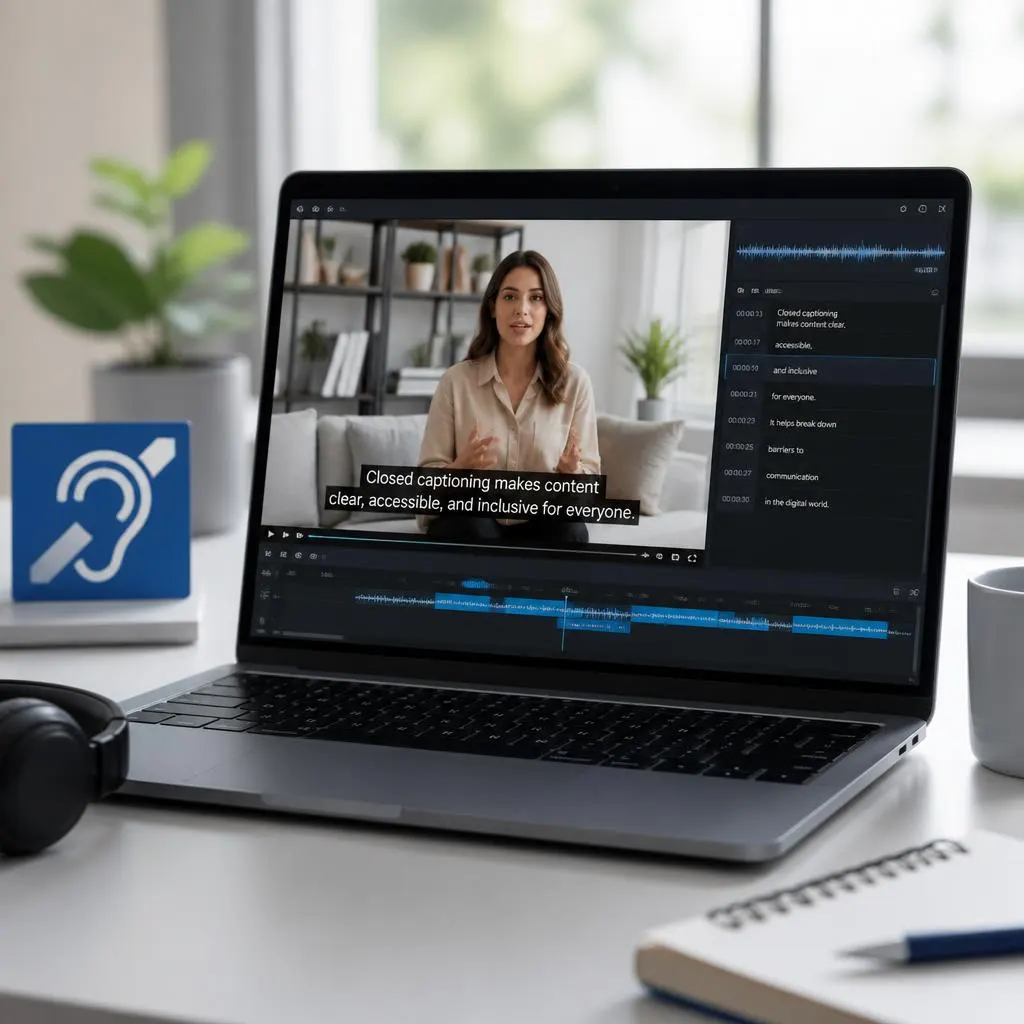
Quick Answer:
Closed captioning services provide synchronized on-screen text for spoken dialogue, sound effects, music cues, and other important audio information in videos. They help deaf and hard-of-hearing viewers, improve video accessibility, support people watching without sound, and make content easier to understand across different environments and languages. Unlike subtitles, which often focus mainly on spoken dialogue and translation, closed captions can also describe meaningful non-speech sounds.
Closed captioning services turn spoken dialogue and important audio information into synchronized on screen text. They help viewers follow videos when they are deaf or hard of hearing, watching in a noisy or quiet environment, learning a language, or simply prefer reading along.
Good captions do more than transcribe speech. They can identify relevant speakers, communicate meaningful sounds, and keep the text synchronized with the video so viewers can understand the full experience.
What Are Closed Captioning Services?
Closed captioning services create text captions that viewers can usually turn on or off while watching a video.
Unlike subtitles that often focus mainly on translating or transcribing dialogue, closed captions can also include important non speech information. For example, captions may indicate that a phone rings, music changes, or someone speaks off screen when that information helps the viewer understand what is happening.
A professional closed captioning service may involve:
- Transcribing spoken dialogue
- Synchronizing captions with speech
- Identifying speakers when necessary
- Including meaningful sound descriptions
- Formatting captions for readability
- Reviewing captions for spelling and accuracy
- Creating caption files for video platforms
- Checking timing and placement
- Preparing captions for accessibility requirements
The goal is simple: make video content easier for more people to understand.
What Do Closed Captioning Services Do?
Closed captioning services create synchronized text for video content, including dialogue and relevant audio information. Viewers can usually switch these captions on or off.
They are especially useful for accessibility because they allow people who are deaf or hard of hearing to access information delivered through audio. They can also help people watching videos in public places, noisy rooms, quiet environments, or situations where listening to audio is difficult.
Closed Captions vs. Subtitles
- Closed captions and subtitles may look similar, but they serve different purposes.
- Closed captions generally provide spoken dialogue along with relevant audio information that helps communicate what is happening in the soundtrack.
Subtitles generally focus on spoken dialogue, particularly when the viewer needs a translation into another language.
For example, a closed caption might communicate:
- Speaker 1: We need to leave now.
- A phone rings.
- Soft music begins.
- The audience laughs.
A subtitle translation would generally focus on translating the spoken words.
The exact terminology and implementation can vary between platforms, countries, and accessibility standards, so the important distinction is the purpose of the text.
Why Closed Captioning Matters for Accessibility
Video content often communicates meaning through both speech and sound. Without captions, viewers who cannot hear the audio clearly may miss important information.
Accessible captions can help make videos more inclusive by providing a text equivalent for relevant spoken and audio content.
Accessibility for Deaf and Hard of Hearing Viewers
Captions can provide access to dialogue, speaker changes, and meaningful sounds that might otherwise be unavailable to viewers who cannot hear them.
This makes captions particularly important for educational videos, workplace training, public information, entertainment, news, and online content.
Better Access in Different Environments
Accessibility is not limited to disability.
Someone might watch a video:
- On public transportation
- In a library
- At work
- In a waiting room
- Late at night
- In a noisy café
- In a shared bedroom
- Without headphones
Captions allow viewers to follow the content without relying entirely on audio.
Support for Language Learners
Captions can also help people connect spoken language with written words. Viewers learning English or another language may find captions useful for following unfamiliar pronunciation, vocabulary, and expressions.
What Should Professional Closed Captions Include?
Effective captions should communicate the information a viewer needs without overwhelming the screen.
Accurate Dialogue
The words should match what speakers actually say. Errors can change meaning and make educational, professional, or entertainment content difficult to understand.
Speaker Identification
When multiple people speak and it is not obvious who is talking, captions may identify the speaker.
This can be especially useful when speakers are off camera or have similar voices.
Important Sound Information
Relevant sounds can provide context that dialogue alone cannot explain.
Examples include:
- A door slams.
- A phone rings.
- Music becomes louder.
- Someone whispers.
- The audience applauds.
- A dog barks outside.
The key is relevance. Captions should communicate meaningful audio information rather than describe every tiny sound.
Accurate Timing
Captions should appear when the corresponding speech or sound occurs. Poor timing can make captions confusing and difficult to follow.
Readable Formatting
Good captioning also considers line breaks, timing, positioning, punctuation, and readability.
The goal is to give viewers enough time to read while keeping the captions synchronized with the video.
Types of Closed Captioning Services
Different projects need different captioning approaches. The right option depends on the content, audience, turnaround time, budget, and required accuracy.
Human Closed Captioning
A trained captioner or editor creates and reviews the captions.
Human involvement can be especially valuable for content with:
- Multiple speakers
- Technical terminology
- Accents
- Background noise
- Specialized vocabulary
- Complex conversations
- Important sound information
Automated Captioning
Speech recognition software can generate captions automatically.
Automated captions can be useful for quickly producing a first draft, but they may contain errors. Names, accents, technical terms, overlapping speech, punctuation, and background sounds can create problems.
For important public or professional content, human review can improve accuracy.
AI Assisted Captioning
Some modern workflows combine automated transcription with human editing. Software creates an initial transcript, then an editor corrects errors, improves timing, and checks formatting.
This approach can offer a balance between speed and quality.
Live Closed Captioning
Live captioning provides text during a live event rather than after a video has been recorded.
It can support:
- Webinars
- Conferences
- Online classes
- Live broadcasts
- Meetings
- Public events
- Presentations
Live captioning requires different technical and timing considerations because the captions need to appear while the event is happening.
Closed Captioning for Education
Captions can make educational videos more accessible to students with different needs.
Teachers, schools, colleges, universities, and online learning platforms may use captions for:
- Recorded lectures
- Online courses
- Training videos
- Demonstrations
- Tutorials
- Classroom recordings
- Educational presentations
Captions can also make it easier for students to review spoken information later.
For educational content, accuracy matters because an incorrect word can change the meaning of a lesson.
Closed Captioning for Businesses
Businesses use video for training, marketing, onboarding, internal communication, product demonstrations, and customer education.
Professional captioning can make these videos more accessible and easier to follow.
Common business content includes:
- Employee training
- Product tutorials
- Company presentations
- Customer support videos
- Webinars
- Marketing videos
- Internal meetings
- Recruitment content
Adding accurate captions can also make video content more practical in workplaces where people cannot always play audio.
Closed Captioning for Social Media Videos
Captions are increasingly useful for short form videos, Reels, Stories, tutorials, interviews, and other social content.
People often encounter videos while scrolling in situations where audio is unavailable or inconvenient.
Captions can help communicate the message even when viewers are not listening to the soundtrack.
For social media, captions should be:
- Easy to read
- Properly timed
- Concise
- Visually clear
- Accurate
- Appropriate for the video’s pace
Closed Captioning for YouTube and Streaming Video
Video platforms can support caption files or built in captioning systems. The exact upload process differs by platform.
Creators may use captioning services to prepare accurate files before publishing their videos.
This can be especially helpful for:
- Long interviews
- Educational channels
- Podcasts with video
- Tutorials
- Documentaries
- Business presentations
- Accessibility focused content
How Closed Captioning Services Work
A typical captioning workflow includes several stages.
1. Video Preparation
The captioning provider receives the video and determines its format, length, audio quality, and content type.
2. Transcription
Spoken dialogue is converted into written text.
This may happen through human transcription, automated speech recognition, or a combination of both.
3. Caption Timing
The text is synchronized with the relevant dialogue and sounds.
4. Speaker and Sound Information
The captioner adds speaker identification and meaningful sound descriptions where appropriate.
5. Editing and Quality Review
The captions are checked for:
- Spelling
- Grammar
- Accuracy
- Timing
- Speaker identification
- Punctuation
- Readability
- Formatting
6. Caption File Delivery
The finished captions may be delivered in a format supported by the intended video platform or player.
How to Choose a Closed Captioning Service
Not every captioning provider offers the same level of quality. Before choosing a service, consider what your project actually requires.
Check Accuracy
Ask how the provider handles transcription accuracy and quality control.
For important content, find out whether captions receive human review.
Consider Turnaround Time
A short social video and a two hour conference recording may have very different deadlines.
Choose a service that can realistically meet your schedule without sacrificing quality.
Ask About File Formats
Make sure the provider can deliver captions in a format compatible with your video platform or player.
Consider Speaker Identification
If your content includes interviews, panels, meetings, or group discussions, speaker identification can make captions much easier to follow.
Look for Accessibility Experience
If accessibility is a major reason for ordering captions, choose a provider that understands accessible captioning rather than simply producing a raw transcript.
Review Privacy Practices
If your videos contain confidential meetings, customer information, internal training, or unreleased material, check how the provider handles uploaded files and data.
Closed Captioning Accuracy Matters
A transcript that is technically readable can still fail if it changes the meaning of the video.
Consider a medical lecture, legal presentation, technical tutorial, or financial discussion. A single transcription mistake may create confusion.
Accuracy involves more than getting individual words right. A strong captioning workflow considers:
- Context
- Speaker changes
- Names
- Terminology
- Numbers
- Punctuation
- Timing
- Meaningful sounds
Human review can be particularly valuable when the content contains specialized vocabulary or challenging audio.
Common Closed Captioning Problems
Poor captions can create accessibility barriers instead of removing them.
Incorrect Words
Speech recognition can misunderstand names, accents, slang, or technical vocabulary.
Missing Dialogue
If captions leave out important words, viewers may miss part of the message.
Incorrect Timing
Captions that appear too early or too late can make a video difficult to follow.
Missing Sound Information
If an important sound communicates meaning but captions ignore it, some viewers may miss part of the experience.
Confusing Speaker Changes
When several people talk, viewers need a clear way to understand who is speaking.
Overcrowded Captions
Too much text at once can make reading difficult, especially during fast conversations.
Closed Captioning Services and Accessibility Compliance
Accessibility requirements can differ depending on the country, organization, platform, audience, and type of content.
Some organizations may have specific legal or regulatory obligations relating to accessible communications.
If compliance is important for your project, do not rely on a generic captioning promise. Review the accessibility requirements that apply to your organization and audience, and make sure your captioning workflow addresses them.
For regulated, educational, government, or public facing content, professional accessibility guidance may be appropriate.
How Closed Captions Improve the Viewer Experience
Captions are not only about accessibility. They can make videos easier to consume in everyday situations.
A viewer might understand a video better when:
- The speaker has a strong accent.
- Background noise makes speech difficult to hear.
- The recording has low audio quality.
- Several people are speaking.
- The viewer is learning the language.
- The viewer cannot use sound.
- The viewer wants to follow specific terminology visually.
This makes captions useful for a much wider audience than the people who specifically request accessibility features.
Closed Captions for Different Content Types
The captioning approach can change depending on the video.
Interviews
Interviews often benefit from clear speaker identification and accurate timing.
Podcasts
Video podcasts may contain long conversations, overlapping speech, names, and references that require careful editing.
Tutorials
Tutorial captions should make instructions easy to follow without covering important visual elements.
Webinars
Webinars may include presentations, questions, multiple speakers, and technical vocabulary.
Entertainment
Movies, shows, and other entertainment content may require dialogue, speaker identification, music information, and meaningful sound descriptions.
Corporate Training
Training content benefits from accurate terminology because viewers may need to understand and remember specific instructions.
Tips for Making Captions Easier to Read
If you are creating or reviewing captions yourself, focus on the viewer’s experience.
Keep Text Manageable
Avoid putting an excessive amount of text on screen at once.
Match the Audio
Keep captions synchronized with the dialogue and relevant sounds.
Preserve Meaning
Do not edit spoken language so heavily that the caption changes what the speaker intended.
Use Clear Speaker Identification
Make it obvious who is speaking when the visual context does not make that clear.
Review Names and Technical Terms
Proper nouns and specialized vocabulary deserve extra attention.
Watch the Finished Video
Do not rely only on the transcript. Watch the video with captions enabled to catch timing and readability problems.
Are Automatic Captions Good Enough?
Automatic captions can be useful, but they are not always accurate enough to publish without review.
Their performance can vary based on:
- Audio quality
- Background noise
- Speaker accents
- Speech speed
- Multiple speakers
- Technical vocabulary
- Recording conditions
For casual personal videos, automatic captions may be sufficient after a quick check. For important educational, professional, public, or accessibility focused content, review the captions carefully.
How Much Do Closed Captioning Services Cost?
Pricing can vary significantly depending on the provider and project.
Factors that can influence the cost include:
- Video length
- Turnaround time
- Human versus automated transcription
- Number of speakers
- Audio quality
- Specialized vocabulary
- Live versus prerecorded captioning
- Editing requirements
- File format
- Additional accessibility services
Instead of choosing a provider based only on the lowest price, compare accuracy, quality control, turnaround time, privacy practices, and accessibility expertise.
DIY Captioning vs. Professional Services
For a short personal video, creating captions yourself may be practical.
Professional services become more useful when you have:
- Large volumes of video
- Strict deadlines
- Multiple speakers
- Specialized terminology
- Accessibility requirements
- Poor quality recordings
- Live events
- High accuracy expectations
The right choice depends on the importance and complexity of the content.
A Simple Closed Captioning Quality Checklist
Before publishing a captioned video, check these points:
- Dialogue matches the audio.
- Important sounds appear when relevant.
- Captions are synchronized.
- Speaker changes are understandable.
- Names are spelled correctly.
- Technical terms are accurate.
- Captions remain readable.
- Text does not cover important visual information.
- The final caption file works with the intended player.
- The finished video has been reviewed with captions enabled.
FAQs
What are closed captioning services?
Closed captioning services create synchronized text for videos. Depending on the content, captions can include spoken dialogue, speaker identification, and relevant sound information.
Why are closed captions important?
Closed captions help make video content accessible to people who are deaf or hard of hearing. They also help viewers who cannot listen to audio because of their environment, device, or personal preference.
What is the difference between closed captions and subtitles?
Closed captions generally communicate dialogue plus relevant audio information, while subtitles generally focus on spoken dialogue, often for viewers who need translation. The exact distinction can vary by platform and context.
Are closed captions only for people with hearing loss?
No. Captions can help many viewers, including people watching videos without sound, people learning a language, and people watching in noisy or quiet environments.
Are automatic captions accurate?
Automatic captions can provide a useful starting point, but accuracy varies. Background noise, accents, multiple speakers, fast speech, names, and technical terms can cause errors. Important content should be reviewed before publication.
Can closed captions include sound effects?
Yes. Captions can include meaningful sounds when they help viewers understand what is happening. Examples include a phone ringing, a door slamming, audience laughter, or music starting.
Do closed captions identify speakers?
They can. Speaker identification is especially useful when several people speak and the viewer cannot easily determine who is talking.
Can businesses use closed captioning services?
Yes. Businesses commonly use captions for training, webinars, presentations, product videos, internal communication, and customer education.
Can closed captions help with social media videos?
Yes. Captions allow viewers to understand video content when they are watching without sound or in an environment where audio is inconvenient.
Should I use a professional captioning service?
A professional service can be useful when accuracy, accessibility, turnaround time, or large scale video production matters. For short casual videos, a creator may prefer to generate and review captions independently.
What should I look for in a captioning company?
Consider accuracy, human review, turnaround time, supported file formats, accessibility experience, privacy practices, speaker identification, and the provider’s ability to handle your type of content.
Can captions improve accessibility without changing the video?
Yes. Captions can provide a text equivalent of spoken dialogue and relevant audio information while leaving the original video and audio intact.
Conclusion
Closed captioning services do more than convert speech into text. Quality captions help people access information, understand dialogue, follow important sounds, and enjoy video content in situations where audio alone is not enough.
Whether you are captioning a classroom lecture, business webinar, social media video, interview, training course, or public presentation, focus on accuracy, timing, readability, and accessibility. The best captions feel natural to the viewer because they communicate the right information at the right moment without getting in the way.