
Quick Answer:
Closed captioning software automatically converts spoken dialogue and important sounds in a video into synchronized on-screen text. Closed captioning services provide a more complete solution by creating, editing, timing, formatting, and reviewing captions for accuracy and accessibility. They help make videos easier to understand for people who are Deaf or hard of hearing and for anyone watching without sound
.Closed captioning software helps turn spoken dialogue and important sounds in videos into synchronized text that viewers can read on screen. Closed captioning services take the same goal further by using automated technology, professional captioners, or a combination of both to create, edit, format, and deliver accessible captions.
Good captions do more than transcribe speech. They can identify speakers, describe meaningful sounds, preserve timing, and make video content easier to follow for people who are Deaf or hard of hearing. They can also help people watching videos in noisy places, quiet environments, or situations where audio is unavailable. W3C describes captions as a text alternative for both speech and relevant non-speech audio that stays synchronized with the media.
If you are choosing captioning software or deciding whether to hire a captioning service, the most important factors are accuracy, synchronization, accessibility features, editing options, supported formats, turnaround time, and how well the final captions work with your video player.
What Is Closed Captioning Software?
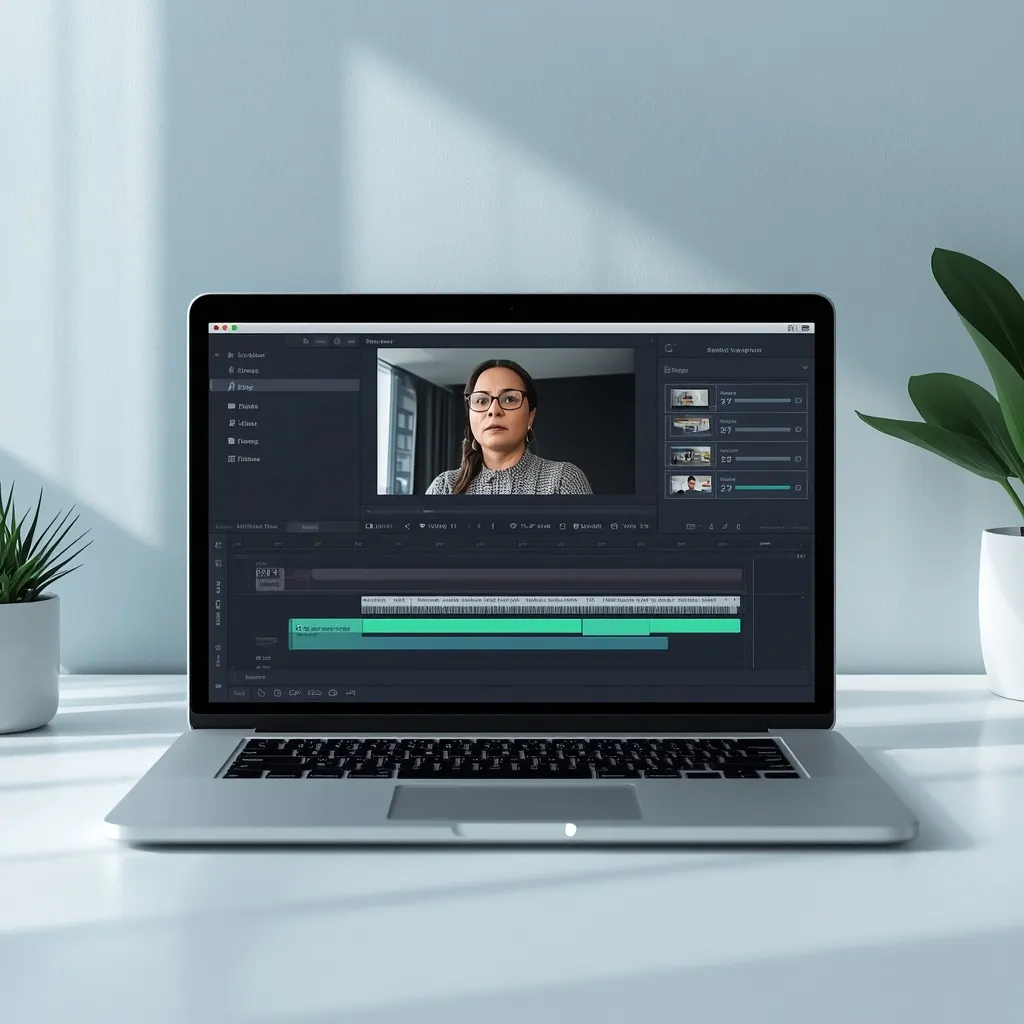
Closed captioning software is a tool that creates, edits, synchronizes, formats, and exports captions for video or other audiovisual content.
Many modern tools use automatic speech recognition to generate a first caption draft. You can then review the transcript, correct mistakes, adjust timing, identify speakers, add important sound information, and export a caption file.
Common caption formats include WebVTT, SRT, and TTML. WebVTT is widely used on the web, while SRT remains common across video platforms and editing workflows.
The word closed means viewers can generally turn the captions on or off through the media player. Open captions are permanently displayed as part of the video and cannot normally be switched off.
What Do Closed Captioning Services Provide?
Closed captioning services create captions for videos when you need more than a basic automatic transcript.
A service may handle the entire process, including:
- Transcribing spoken dialogue
- Correcting automatic transcripts
- Adding timestamps
- Identifying speakers
- Describing relevant non-speech sounds
- Formatting captions for readability
- Checking synchronization
- Reviewing names, terminology, and technical language
- Creating SRT, WebVTT, or other supported files
- Preparing captions for live events
- Delivering captions according to platform requirements
Professional services can be especially useful for large video libraries, education, corporate training, legal content, public events, webinars, and media that requires careful human review.
W3C notes that creating high-quality captions requires transcription, timestamping, formatting, and judgment about which non-speech audio information matters. It also notes that many organizations choose to outsource caption production because the work can be time consuming.
How Closed Captioning Software Works
The exact workflow varies between tools, but most captioning software follows a similar process.
1. Upload the Video
You start by uploading a video or audio file into the software. Some platforms also connect directly with video hosting, editing, meeting, or learning systems.
2. Generate a Transcript
Automatic speech recognition analyzes the audio and produces a text transcript. This can save significant time compared with manually typing every spoken word.
Automatic transcription is a starting point, not a guarantee of perfect captions. Names, accents, background noise, overlapping speakers, technical vocabulary, and poor audio can all create errors.
3. Synchronize the Text
The software divides the transcript into caption segments and assigns timestamps so the words appear at the correct moments.
Synchronization matters because captions that appear too early or too late can make a video difficult to follow.
4. Review and Edit
A reviewer checks spelling, punctuation, timing, speaker changes, names, terminology, and sound information.
This stage is particularly important when accuracy matters.
5. Format the Captions
Caption editors may let you control line breaks, positioning, styling, speaker labels, and other presentation details.
A good caption should remain readable without covering important visual information.
6. Export the Caption File
The finished captions can be exported in a supported format such as WebVTT or SRT and then added to the appropriate video player or platform.
Automatic Captioning vs Professional Captioning Services
Automatic captioning can be fast and affordable, while professional captioning can provide an additional layer of accuracy and quality control.
The right choice depends on the content and your quality requirements.
| Feature | Automatic Captioning | Professional Services |
|---|---|---|
| Speed | Usually very fast | Depends on turnaround |
| Cost | Often lower | Usually higher |
| First draft | Excellent for speed | Usually professionally prepared |
| Human review | May be optional | Often included |
| Speaker identification | Tool dependent | Can be handled manually |
| Difficult audio | May produce more errors | Human review can improve accuracy |
| Technical terminology | May require correction | Can receive specialized review |
| Live events | Available with some tools | Can include professional real time captioning |
| Large projects | Efficient for automation | Useful when quality control matters |
For simple videos with clear audio, automatic captioning can be a practical starting point. For important public, educational, legal, medical, corporate, or high visibility content, a carefully reviewed captioning workflow may be a better choice.
Why Closed Captions Matter for Accessibility
Captions are an important part of accessible multimedia.
People who are Deaf or hard of hearing may rely on captions to understand spoken dialogue and meaningful sounds. Captions can also benefit people who process written information more easily than audio.
W3C specifically identifies captions and other multimedia alternatives as important accessibility tools. Its accessibility guidance explains that captions provide access to speech and relevant non-speech audio information.
Captions can also help people who:
- Watch videos in noisy environments
- Watch content in quiet places
- Have difficulty hearing certain speakers
- Prefer reading while listening
- Need to understand unfamiliar speech
- Want to follow dialogue when audio quality is poor
- Learn through both visual and auditory information
Accessibility is therefore not only about adding words to a video. The captions need to communicate the important information that the audio provides.
What Should Good Closed Captions Include?
Strong captions capture more than dialogue.
Depending on the content, useful captions can include:
- Spoken dialogue
- Speaker identification when needed
- Meaningful music information
- Important sound effects
- Audible reactions
- Relevant background sounds
- Changes in who is speaking
- Information necessary to understand the scene
For example, if a video contains an important door slam that changes what happens next, simply transcribing the spoken dialogue may leave out useful information.
A caption such as A door slams in the background can communicate an important sound naturally.
The goal is not to describe every tiny noise. The goal is to include meaningful audio information that a viewer needs to understand the content.
Closed Captions vs Subtitles
People often use the terms captions and subtitles interchangeably, but they can serve different purposes.
Closed captions generally provide the spoken content along with relevant non-speech audio information for accessibility.
Subtitles often focus primarily on spoken dialogue, particularly when the purpose is to translate speech into another language.
W3C explains that regional terminology varies, but it distinguishes captions from translated subtitles in its accessibility guidance.
For example:
Caption:
The speaker says, “I cannot believe this happened.”
A door slams in the background.
Translated subtitle:
The speaker’s dialogue is presented in another language.
The exact terminology can vary by platform, region, and industry.
Closed Captioning Software Features to Look For
Not every captioning tool offers the same features. Before choosing software, look beyond automatic transcription.
Speech Recognition
Automatic speech recognition can create a first draft quickly. Look for software that allows you to review and correct the generated transcript.
Caption Editing
A useful editor should make it easy to correct words, punctuation, timing, and line breaks.
Speaker Identification
For interviews, podcasts, webinars, meetings, and panel discussions, speaker labels can make captions much easier to follow.
Timing Controls
Good caption software should let you adjust when captions appear and disappear.
Multiple Export Formats
Support for common formats such as WebVTT and SRT gives you greater flexibility across platforms.
Search and Replace
This feature can save time when you need to correct repeated names, technical terms, or brand terminology.
Translation Workflows
If you publish multilingual content, look for tools that support subtitle translation without losing timing information.
Accessibility Testing
The best workflow does not end when the caption file is exported. Test the captions in the actual video player and make sure they remain readable and synchronized.
Captions Need More Than Accurate Words
Accuracy matters, but a technically correct transcript can still produce poor captions.
Good captions should also be:
Synchronized: The text should match the audio at the right moment.
Readable: Viewers should have enough time to read each caption.
Complete: Important spoken and non-speech information should not be unnecessarily omitted.
Unobstructed: Captions should not hide important visual information.
Controllable: Closed captions should normally provide a way for viewers to turn them on and off when the player supports that functionality.
The current W3C WCAG 3.0 working draft includes guidance around caption availability, synchronization, speaker identification, controllability, unobstructed placement, and adjustable caption presentation. Because WCAG 3.0 is still a working draft, organizations should rely on the applicable finalized accessibility standard for their compliance requirements.
How Caption Software Supports Accessible Video
Captioning software can help content creators produce accessible media more efficiently, but the software itself does not automatically make every video accessible.
A strong accessibility workflow looks at the complete experience:
- Create or obtain an accurate transcript.
- Generate synchronized captions.
- Review the caption text.
- Add meaningful non-speech audio information.
- Identify speakers when necessary.
- Check readability and timing.
- Confirm the captions do not hide important visual content.
- Test the finished captions in the actual media player.
- Provide controls that let users manage captions when appropriate.
W3C also points out that accessible media players can provide caption controls, styling options, keyboard support, clear labels, sufficient contrast, and other accessibility features.
Closed Captioning for Different Types of Content
The best captioning workflow depends on what you are producing.
YouTube Videos
Creators can use automatic captions as a starting point, then review and edit them before publishing.
Online Courses
Educational videos benefit from accurate captions because students may need to read terminology, names, formulas, or detailed explanations.
Webinars and Virtual Events
Live captioning can make presentations, discussions, and meetings more accessible to people who cannot rely on audio alone.
Corporate Training
Companies can use captions across training libraries so employees can follow lessons in different environments and with different accessibility needs.
Podcasts With Video
Video podcasts can use captions to make spoken conversations easier to follow and more accessible.
Social Media Videos
Captions can help viewers understand videos when they watch without sound. W3C notes that captions can be useful in environments where audio cannot be easily heard, as well as for people who cannot hear the audio.
Recorded Interviews
Speaker identification becomes particularly valuable when several people speak throughout the recording.
Live Closed Captioning Software and Services
Live captioning presents different challenges from prerecorded captioning.
A prerecorded video gives you time to transcribe, edit, synchronize, review, and correct the captions before viewers watch it.
Live content must generate captions while the event is happening.
Live captioning can use automated speech recognition or professional real time captioners. W3C notes that live captions are commonly provided by professional real time captioners or Communication Access Realtime Translation, also known as CART, providers.
For important live events, factors such as latency, accuracy, speaker changes, technical vocabulary, connection reliability, and correction workflows become especially important.
How to Choose Between Software and a Captioning Service
Ask yourself a few practical questions before choosing.
How much content do you have?
If you publish videos every week, automated software may provide a scalable workflow.
How accurate do the captions need to be?
For informal content, you may be comfortable editing an automatic transcript yourself. For high stakes content, professional review may be worthwhile.
Is the audio difficult?
Multiple speakers, accents, background noise, music, and specialized terminology can increase the need for human review.
Do you need live captions?
If you caption conferences, webinars, meetings, or live broadcasts, make sure the provider specifically supports real time captioning.
Do you need a particular file format?
Check whether the platform requires WebVTT, SRT, TTML, or another format.
Who will review the captions?
Even when software produces captions automatically, someone should review important content before publication.
Common Closed Captioning Mistakes
Poor captions can make an accessible video harder to understand. Watch for these common problems.
Relying Completely on Automatic Captions
Automatic speech recognition can make mistakes. Always review important content.
Ignoring Speaker Changes
When multiple people talk, unclear speaker changes can confuse viewers.
Leaving Out Important Sounds
If a meaningful sound changes the context of a scene, consider including it naturally.
Poor Synchronization
Correct words shown at the wrong time are still difficult to follow.
Covering Important Visual Information
Captions should not block information that viewers need to understand the video.
Using Inconsistent Terminology
Names, product terms, acronyms, and technical language should remain consistent throughout the video.
Skipping the Final Playback Check
A caption file can look correct in an editor but behave differently in a real media player. Test the final result before publishing.
Are Closed Captions the Same as a Transcript?
No. A transcript is generally a text representation of the spoken content, while captions are synchronized with the audiovisual content.
Captions are designed to appear at specific times during playback. A transcript does not necessarily contain the timing information required to display text alongside the audio.
W3C explains that captions require transcription plus timestamping and formatting, while common caption files such as WebVTT contain timing information that connects text with moments in the media.
A transcript can still be useful. In fact, an accurate transcript can serve as a foundation for creating captions.
Do Closed Captions Improve Accessibility for Everyone?
Captions are essential for some viewers and useful for many others.
A person who is Deaf or hard of hearing may depend on captions to access spoken content. Another viewer may use them because they are watching in a library, on public transportation, in a noisy café, or while someone nearby is sleeping.
W3C highlights this broader usefulness in its accessibility perspective on video captions.
That makes captions both an accessibility feature and a practical viewing option.
FAQs
What is the best closed captioning software?
The best software depends on your workflow. Look for accurate speech recognition, easy editing, timing controls, speaker identification, common export formats, accessibility features, and reliable integration with your publishing platform.
Is automatic closed captioning accurate?
Automatic captioning can produce a useful first draft, but accuracy varies with audio quality, accents, background noise, multiple speakers, and specialized vocabulary. Important videos should receive human review before publication.
What is the difference between closed captions and open captions?
Closed captions can generally be turned on or off by the viewer. Open captions are permanently embedded in the video and cannot normally be hidden through the media player.
What file format is commonly used for closed captions?
WebVTT and SRT are two widely used caption formats. WebVTT is commonly used for web video, while SRT is also widely supported by video platforms and editing workflows.
Do closed captions include sound effects?
They can. Accessible captions may include meaningful non-speech audio information when that information helps the viewer understand the content.
Can closed captioning software identify speakers?
Many modern tools offer speaker detection or speaker labeling, although the quality and available features vary. For important content, review speaker identification manually.
Are captions required for accessibility?
Accessibility requirements depend on the type of content, platform, jurisdiction, and applicable standard. Under WCAG 2.2, captions are required for prerecorded synchronized media with audio at Level A and for live synchronized media at Level AA. W3C’s current WCAG 3 working draft also addresses caption availability, synchronization, speaker identification, and other caption requirements.
Should I use software or hire a closed captioning service?
Use software when speed, scale, and hands on editing fit your workflow. Consider a professional service when accuracy, accessibility quality, difficult audio, live captioning, or large projects require specialized expertise.
Conclusion
Closed captioning software makes it easier to turn speech into synchronized text, while closed captioning services can provide professional transcription, editing, timing, formatting, and quality control.
The strongest captioning workflow does not simply generate words. It makes the video’s important audio information available in a clear, synchronized, readable, and accessible form.
For creators, businesses, educators, and organizations, the right approach is to choose tools based on accuracy and workflow rather than automation alone. Generate captions efficiently, review them carefully, test them in the final player, and make accessibility part of the publishing process.