
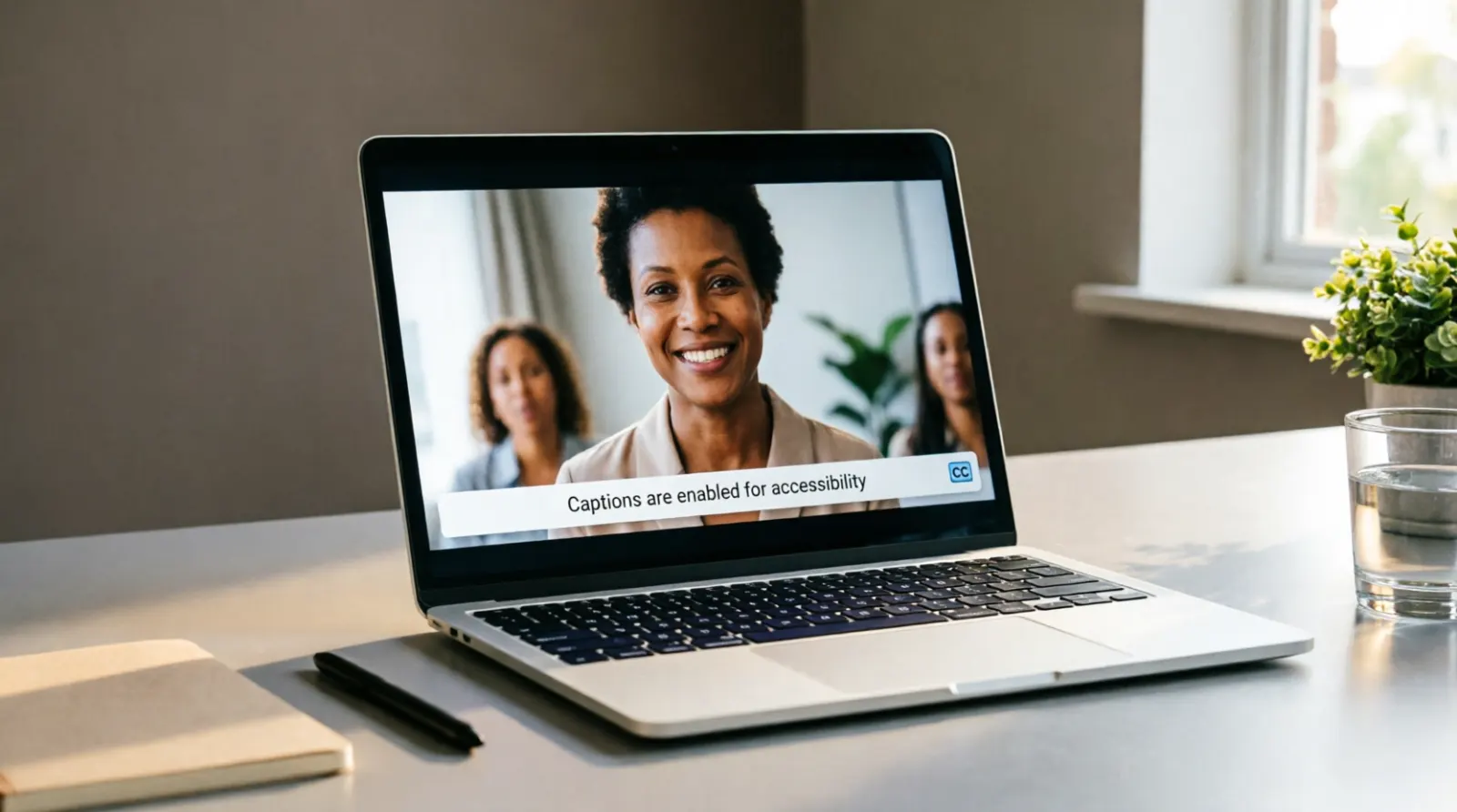
If you searched for close caption, you are probably looking for the meaning of closed caption, how it works, or why captions matter for accessible video. The standard term is closed caption, while closed captions is the common plural form.
Closed captions display spoken words as text along with important audio information such as meaningful sound effects, music cues, laughter, and speaker identification. Unlike open captions, viewers can usually turn closed captions on or off through the media player.
Captions are especially important for people who are Deaf or hard of hearing, but they also help people watching videos in noisy places, quiet environments, unfamiliar languages, or situations where listening to audio is inconvenient.
Quick Answer
Close caption usually means closed caption, which displays spoken dialogue and important sounds as text on a video. Viewers can usually turn closed captions on or off, making videos more accessible for people who are Deaf or hard of hearing.
Close Caption Meaning
Close caption is a commonly used variation of the standard term closed caption. It refers to text displayed alongside video content to communicate speech and relevant audio information.
A closed caption may show:
- Spoken dialogue
- Speaker identification
- Important sound effects
- Music cues
- Laughter
- Doorbells, alarms, or other meaningful sounds
- Other audio details needed to understand the video
The main purpose is to make video content understandable when a viewer cannot hear the audio clearly or cannot hear it at all.
The World Wide Web Consortium, or W3C, defines captions as a synchronized text alternative that covers both speech and important non-speech audio information. It also distinguishes closed captions from open captions because closed captions can be turned on or off by the viewer.
Is Close Caption the Correct Term?
Not usually.
The more accurate term is:
Closed caption for one captioning feature or system.
Closed captions for captions in general.
Captioning for the process of creating and providing captions.
People often search for or write close caption, but the word closed is the standard expression in accessibility and media terminology.
For example:
- Correct: Turn on the closed captions.
- Correct: This video has closed captions.
- Correct: The website needs accurate captioning.
- Common search variation: close caption
If you are writing an article, website, accessibility policy, or professional document, use closed caption or closed captions rather than close caption.
Closed Caption vs Open Caption
The biggest difference is whether viewers can control the captions.
Closed captions can normally be turned on or off through the video player.
Open captions are permanently displayed as part of the video and cannot be switched off through the player.
W3C explains that open captions are embedded into the video and remain visible, while closed captions can be enabled or disabled by the viewer. (W3C)
Quick Comparison
| Feature | Closed Captions | Open Captions |
|---|---|---|
| Can viewers turn them off? | Usually yes | No |
| Displayed through player controls? | Yes | No |
| Embedded permanently into video? | Usually no | Yes |
| Useful for accessibility? | Yes | Yes |
| Viewer controls visibility? | Usually | No |
Closed captions are particularly useful when viewers want accessibility without requiring everyone watching the video to see text.
Why Are Closed Captions Important?
Captions provide access to information that would otherwise be delivered only through audio.
For a Deaf or hard of hearing viewer, missing dialogue or important sounds can make an entire video difficult to understand. W3C specifically identifies captions as an important way for people who are Deaf or hard of hearing to access synchronized media.
Captions can also benefit people who hear normally.
Someone might watch a video:
- In a noisy airport
- In a quiet library
- During a commute
- At work
- While a baby is sleeping
- Without headphones
- With unclear audio
- In a place where sound is distracting
- When the speaker has an unfamiliar accent
W3C notes that captions are essential for some people and useful for everyone in different situations. (W3C)
What Should a Closed Caption Include?
A good caption does more than copy every spoken word.
It should communicate the important auditory information needed to understand the content.
For example:
- Dialogue
The spoken words should appear accurately and in sync with the video. - Speaker identification
When it is unclear who is talking, the caption can identify the speaker. - Important sound effects
Meaningful sounds such as a phone ringing, an alarm sounding, or a door slamming can provide important context. - Music information
Music can sometimes affect the meaning or mood of a scene, so relevant music information may need to appear. - Meaningful non-speech audio
Laughter, applause, crying, or other sounds may matter when they contribute to the meaning of the content.
W3C states that captions should include dialogue as well as relevant non-speech information needed to understand the media.)
Example of a Useful Caption
Imagine a video scene where someone says:
I thought you were coming tonight.
Then a phone rings loudly.
A useful caption could communicate both pieces of information:
I thought you were coming tonight.
Phone rings.
The second line matters if the sound affects what happens next.
Closed Captions vs Subtitles
Closed captions and subtitles look similar because both display text on screen, but their purposes can differ.
Subtitles often focus primarily on spoken dialogue, particularly when the viewer does not understand the language being spoken.
Captions generally communicate dialogue plus important audio information.
For example, a subtitle might translate:
Where are you going?
A caption may provide:
Where are you going?
followed by:
Door slams.
The distinction is not identical in every country or platform. W3C notes that some countries use the word subtitles for captions.
Closed Captions and Accessibility
Accessibility means creating digital content that people with different abilities can use and understand.
For video, captions are one important part of accessible media.
Under WCAG 2.2, prerecorded synchronized media with audio generally needs captions at Level A under Success Criterion 1.2.2, with specific exceptions. For live synchronized media, captions are addressed at Level AA under Success Criterion 1.2.4.
The exact legal obligations for a website, organization, school, business, or government service can depend on the applicable laws and circumstances. For U.S. web accessibility, ADA.gov also identifies missing video captions as an accessibility problem because people with hearing disabilities may not be able to understand information communicated through video.
How Closed Captions Help People Who Are Deaf or Hard of Hearing
For someone who cannot hear or cannot hear certain audio frequencies clearly, captions provide access to information contained in the soundtrack.
They can communicate:
- What a speaker says
- Who is speaking
- Important background sounds
- Music that affects the scene
- Reactions such as laughter
- Alerts and other meaningful noises
Without captions, a viewer may see what happens visually but miss the information delivered through sound.
That is why accurate captioning is more than a visual decoration. It can be an essential accessibility feature.
Are Automatic Captions Good Enough?
Automatic captions can save time, but they should not automatically be considered accurate.
Speech recognition systems can make mistakes with:
- Names
- Technical terms
- Accents
- Background noise
- Multiple speakers
- Fast speech
- Unusual words
- Industry-specific vocabulary
W3C specifically notes that automatic captions alone are not sufficient for high-quality accessibility and explains that creating accurate captions involves transcription, timing, formatting, and decisions about relevant non-speech audio.
A practical workflow is:
- Generate captions automatically when appropriate.
- Review the transcript.
- Correct incorrect words.
- Check speaker identification.
- Add important sounds.
- Synchronize captions with speech.
- Check spelling and punctuation.
- Watch the finished video with captions enabled.
Human review can make a major difference in accuracy.
What Makes a Closed Caption Accessible?
Good captions should be more than technically present. They should help the viewer follow the content comfortably.
Focus on:
Accuracy
The caption should match the spoken content and important audio details.
Synchronization
Text should appear at the right moment. Captions that arrive too early or too late can make a video confusing.
Completeness
Do not leave out meaningful dialogue or important sound information.
Readability
Use clear wording, sensible line breaks, and enough time for viewers to read the text.
Speaker Identification
When multiple people speak and the speaker is not visually obvious, identify who is talking.
Placement
Captions should not cover important visual information. W3C specifically notes that captions should not obscure or obstruct relevant information in the video.
How to Add Closed Captions to a Video
The exact process depends on the platform, but the basic workflow is similar.
1. Create a Transcript
Start with an accurate transcription of the spoken audio.
2. Add Timing
Synchronize each section of text with the corresponding part of the video.
3. Add Important Audio Information
Include meaningful sounds, speaker information, and other audio details when they help viewers understand the content.
4. Review the Captions
Check for spelling, timing, missing dialogue, incorrect names, and unnecessary errors.
5. Upload the Caption Track
Many video platforms allow a separate caption file or caption track.
For websites using HTML video, the HTML track element can be used to provide a timed caption track. W3C describes this method as one technique for providing captions with prerecorded video.
6. Test the Finished Video
Turn the captions on and watch the video from beginning to end. Check whether the captions accurately communicate the audio and remain readable.
Closed Captions for Social Media Videos
Social media videos often reach people in situations where audio is unavailable or inconvenient.
Captions can make short videos easier to follow on platforms such as:
- TikTok
- YouTube
- Short-form video platforms
For social content, creators often use captions directly inside the video. These are technically closer to open captions because the text becomes part of the visual video.
If a platform provides a separate caption track that viewers can turn on or off, that is closer to traditional closed captioning.
For accessibility, focus on accuracy rather than simply adding decorative text.
Closed Captions for Online Courses
Captions are particularly useful for educational videos.
Students may need captions because they:
- Are Deaf or hard of hearing
- Learn better when reading and listening together
- Study in noisy environments
- Study without sound
- Need to review technical terminology
- Have difficulty understanding unclear audio
- Want to search or reference spoken information
W3C’s accessibility guidance treats captions as an important part of making synchronized educational and informational media accessible.
Closed Captions for Live Video
Live captioning differs from prerecorded captioning because the text must be produced in real time.
Examples include:
- Live webinars
- Online classes
- Conferences
- News broadcasts
- Public events
- Live streams
WCAG 2.2 addresses captions for live synchronized media under Success Criterion 1.2.4 at Level AA. (W3C)
Live captions can come from professional captioners, real-time transcription services, or other captioning technologies. Accuracy still matters because errors can change the meaning of what a speaker says.
Common Closed Caption Mistakes
Adding captions does not automatically make a video accessible.
Avoid these common problems:
Missing Important Sounds
Captions that include only spoken words can leave out important information.
Poor Timing
Captions that appear several seconds after the speaker talks can be difficult to follow.
Incorrect Names
People’s names, locations, brands, and technical terms deserve careful review.
Too Much Text
Long blocks of text can become difficult to read while watching a moving video.
Captions Covering Important Visuals
Avoid placing captions where they hide essential text, faces, demonstrations, or other visual information.
Trusting Automatic Captions Without Review
Automatic transcription can produce obvious and subtle errors. Always review captions when accuracy matters.
Confusing Subtitles With Accessibility Captions
Translation subtitles may not include important sound information. Accessibility captions generally need to communicate the relevant auditory content, not just dialogue.
How to Choose Between Closed and Open Captions
Choose closed captions when you want viewers to control whether captions appear.
Choose open captions when the text needs to remain visible for everyone, regardless of player settings or platform support.
For example, a social media creator may burn captions into a short video because many viewers watch without sound. A learning platform may provide a separate caption track so students can turn captions on or off.
Neither approach is automatically better in every situation. The right choice depends on the content, platform, audience, and accessibility requirements.
Close Caption Meaning in Simple Words
If you want the shortest explanation:
Close caption usually means closed caption, which is on-screen text that represents spoken dialogue and important sounds in a video. Viewers can normally turn closed captions on or off.
The feature helps make video content accessible to people who are Deaf or hard of hearing and useful to anyone who cannot or does not want to listen to audio.
Close Caption vs Closed Caption: Quick Reference
| Term | Meaning |
|---|---|
| Close caption | Common search or wording variation |
| Closed caption | Standard singular term |
| Closed captions | Standard plural term |
| Captioning | Process of creating captions |
| Open captions | Captions permanently visible in the video |
| Subtitles | Usually dialogue text, often translated, depending on context |
| Live captions | Captions produced during live content |
How to Use the Term Correctly
If you are writing professionally, use the standard terminology.
Instead of:
Does this video have close caption?
Write:
Does this video have closed captions?
Instead of:
Add close caption to the video.
Write:
Add closed captions to the video.
Instead of:
I need close caption accessibility.
Write:
I need closed captioning for accessibility.
This small wording change makes your writing more precise and aligns with established accessibility terminology.
FAQs
What is the meaning of close caption?
Close caption is commonly used to mean closed caption. It refers to synchronized text that communicates spoken dialogue and important audio information in video.
Is close caption or closed caption correct?
Closed caption is the standard term. Close caption is a common search variation, but professional accessibility writing should generally use closed caption or closed captions.
What is a closed caption?
A closed caption is text that appears with video audio and can generally be turned on or off by the viewer. It can include dialogue, speaker identification, sound effects, music information, and other meaningful audio details.
What is the difference between closed captions and subtitles?
Closed captions generally include dialogue plus relevant non-speech audio, while subtitles often focus on dialogue, especially when translating spoken language. The terminology varies across countries and platforms.
Why are closed captions important?
Closed captions help people who are Deaf or hard of hearing access information delivered through audio. They also help people watching videos in quiet or noisy environments or when audio is unavailable.
Are automatic captions accessible?
Automatic captions can provide a useful starting point, but they may contain errors. Important videos should receive human review for accuracy, timing, speaker identification, and meaningful sound information.
Can closed captions be turned off?
Usually, yes. The defining feature of closed captions is that supported players allow viewers to turn them on or off. Open captions remain visible because they are embedded into the video.
Do captions include sound effects?
Good accessibility captions can include meaningful sound effects and other non-speech audio when that information helps the viewer understand the content.
Are captions required for accessibility?
Accessibility requirements depend on the type of media, applicable standard, organization, and jurisdiction. Under WCAG 2.2, prerecorded synchronized media generally falls under the Level A requirement for captions, while live synchronized media is addressed at Level AA.
conclusion
The phrase close caption usually refers to closed caption, the standard accessibility feature that provides synchronized text for spoken dialogue and meaningful audio in video.
The key difference is simple: closed captions can normally be turned on or off, while open captions remain visible in the video. Accurate captions should capture more than speech when necessary. They can also identify speakers and communicate meaningful sounds that help viewers understand what is happening.
For creators, educators, businesses, and website owners, accurate captioning is an important part of accessible video. It helps people who are Deaf or hard of hearing while also making content more flexible and useful for everyone.