
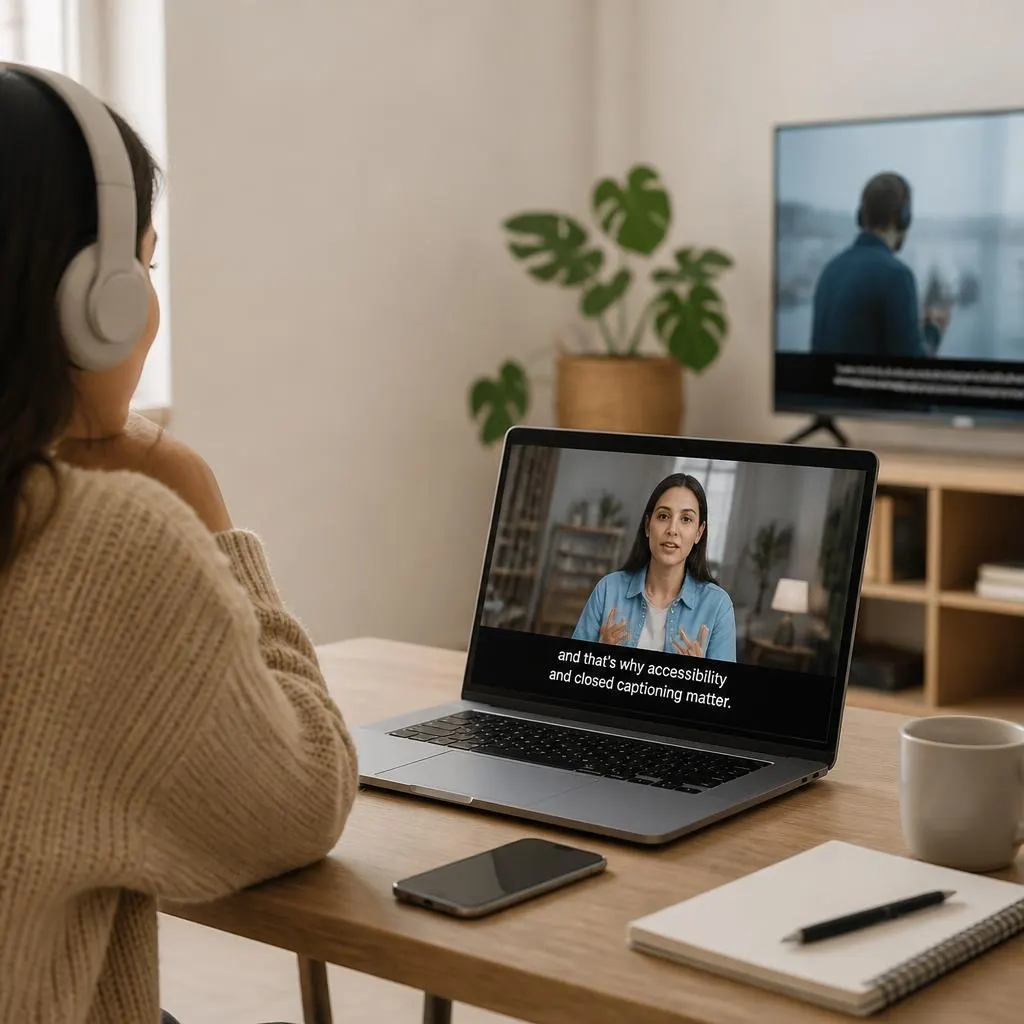
Quick Answer:
Closed captioning displays spoken dialogue and important sounds in a video as on-screen text, helping viewers understand the content even when they cannot hear the audio. For example, captions may show a speaker’s words along with sound descriptions such as a doorbell ringing or music playing. Closed captioning improves accessibility for people who are Deaf or hard of hearing and makes videos easier to follow in noisy places or when the sound is turned off.
To define closed captioning, it is a feature that displays spoken words and important sounds in a video as on-screen text. Closed captioning helps viewers understand dialogue, music, sound effects, and other audio information when they cannot hear the sound or prefer to watch without it. Unlike ordinary subtitles, closed captions can also describe meaningful non-speech sounds, such as a door slamming, a phone ringing, or an audience laughing.
Closed captioning displays the spoken words and important sounds in a video as on-screen text. It helps viewers understand dialogue, music, sound effects, and other audio information when they cannot hear the sound or prefer to watch without it. Unlike ordinary subtitles, closed captions can also describe relevant non-speech sounds, such as a door slamming, a phone ringing, or an audience laughing.
If you have ever watched a YouTube video with captions, followed a TV program with the sound turned off, or used captions to understand dialogue more clearly, you have probably encountered closed captioning.
Understanding what closed captioning means also helps explain why it matters for accessibility, education, entertainment, online videos, and everyday communication.
What Does Closed Captioning Mean?
Closed captioning is a feature that converts a video’s audio into readable text displayed on the screen. The text may include spoken dialogue, speaker identification, music descriptions, and meaningful sound effects.
The word closed means viewers can generally choose whether to display the captions. They can turn them on or off through the video player or television settings when the platform supports that option.
For example, a video might show these captions:
- Welcome back to our channel.
- Phone rings.
- Sarah: Did you hear that?
- Soft music plays in the background.
These lines help communicate information that viewers might otherwise miss without audio.
Closed captioning is particularly useful for people who are deaf or hard of hearing. It also benefits people watching videos in noisy environments, studying a new language, or viewing content without disturbing others.
Closed Captioning at a Glance
- Definition: On-screen text representing speech and relevant audio information in a video.
- Main purpose: Make audio content accessible to viewers who cannot hear it or need text support.
- Common uses: Television, YouTube, online courses, streaming services, meetings, and social media videos.
- Typical content: Dialogue, speaker labels, sound effects, music cues, and other meaningful audio details.
- Viewer control: Closed captions can generally be turned on or off, depending on the platform and content.
How Closed Captioning Works
Closed captioning connects written text to the audio in a video so viewers can read the information as it is spoken or heard. Caption creators or automated tools first identify the speech and relevant sounds, then synchronize the text with the video.
The process generally follows these steps.
- Transcribe the speech. Convert spoken dialogue into accurate written text.
- Identify important sounds. Include meaningful audio cues, such as laughter, alarms, music, or a sudden crash.
- Identify speakers. Add speaker names or labels when viewers might not know who is talking.
- Synchronize the text. Make captions appear and disappear at the appropriate moments.
- Review for accuracy. Correct misspelled words, missing dialogue, timing errors, and confusing descriptions.
- Publish the captions. Add a supported caption file or caption track to the video platform.
Many platforms use automatic speech recognition to generate captions. These tools can save time, but they can also misunderstand names, accents, technical terms, or words that sound alike. Reviewing automatically generated captions helps ensure viewers receive the correct information.
Closed Captions vs. Subtitles: What’s the Difference?
Closed captions and subtitles both display text alongside video, but they can serve different purposes. The main distinction is whether the text communicates important sounds as well as spoken words.
Include spoken dialogue and meaningful non-speech audio, such as music, laughter, and sound effects. Viewers can generally turn them on or off.
Subtitles
Often display spoken dialogue, especially when translating it into another language. They may leave out sound descriptions when those details are not part of their purpose.
Consider a movie scene in which a character says, “I’m home,” while a door slams and tense music plays.
A caption track might display:
- Door slams.
- Tense music plays.
- I’m home.
A dialogue translation might display only the translated equivalent of “I’m home.”
The distinction is not absolute. Some platforms and regions use the word subtitles for same-language captions, too. For accessibility purposes, check whether the text includes all the important audio information, rather than relying only on the label.
Closed Captions vs. Open Captions
The main difference between closed and open captions is whether viewers can hide them.
| Feature | Closed captions | Open captions |
|---|---|---|
| Visibility | Usually optional | Always visible |
| Viewer control | Can generally be switched on or off | Cannot be switched off separately |
| How they appear | Through a caption track or player feature | Usually embedded directly into the video |
| Common use | TV, streaming services, and video platforms | Social media clips, promotional videos, and edited videos |
| Accessibility | Supports viewers who need text access to audio | Provides visible captions without requiring a player setting |
Both formats can support accessibility when they accurately represent dialogue and important sounds. The best choice depends on the audience, platform, and how the video will be distributed.
Why Is Closed Captioning Important for Accessibility?
Closed captioning makes video content more accessible by providing a written alternative to audio information. It supports people with different hearing abilities, language skills, and viewing needs.
1. It helps people who are deaf or hard of hearing
People who cannot hear some or all of a video’s audio need access to the information communicated through speech and meaningful sounds. Accurate captions help them follow conversations, understand announcements, and enjoy entertainment.
2. It improves understanding in noisy environments
Someone watching a video in a busy airport, crowded café, or shared office may struggle to hear the audio clearly. Captions make the dialogue easier to follow without requiring headphones or increased volume.
3. It makes silent viewing more practical
Viewers often watch short videos while commuting, waiting in public places, or taking a break at work. Captions let them understand spoken content without playing sound aloud.
4. It can support language learning
People learning English or another language can read spoken words while listening. This can help them recognize unfamiliar vocabulary, understand pronunciation in context, and follow fast conversations.
5. It supports learning and information retention
Captions can help viewers follow lectures, demonstrations, interviews, and training sessions. Reading along may make complicated explanations easier to process, particularly when the speaker talks quickly or uses unfamiliar terminology.
6. It preserves important sound information
Dialogue alone may not explain everything happening in a scene. A warning alarm, a burst of laughter, or a sudden crash can change the meaning of a moment. Well-written captions communicate these relevant audio details.
What Should Good Closed Captions Include?
Effective captions do more than copy a few spoken sentences onto a screen. They should communicate the important audio information accurately, clearly, and at the right time.
- Accurate dialogue: Include the words spoken, without changing their meaning.
- Speaker identification: Make it clear who is talking when the speaker is not obvious.
- Meaningful sound effects: Describe sounds that contribute to understanding the scene.
- Relevant music cues: Identify music when its presence or character matters to the content.
- Correct timing: Synchronize text with the corresponding speech or sound.
- Readable presentation: Use suitable text size, contrast, placement, and line breaks.
- Complete coverage: Avoid missing important dialogue or audio information.
For example, an educational video might include the instructor’s explanation, the sound of a warning alarm, and the words spoken by a second person off-screen. Captions should preserve the information viewers need to understand what happens.
Not every background noise needs a separate caption. The goal is to communicate meaningful audio information without cluttering the screen.
Where Is Closed Captioning Used?
Closed captions appear in many types of media, from entertainment to workplace communication.
TV shows, movies, documentaries, and online streaming programs use captions to make dialogue and important sounds accessible.
Creators can provide caption tracks or use automatic captions where supported. Reviewing them helps correct transcription errors.
Captions help students and employees follow lessons, tutorials, presentations, and recorded training sessions.
Meetings and live events
Live captioning can display spoken content during virtual meetings, webinars, public presentations, and other real-time events.
Captions help viewers understand Reels, short clips, interviews, and other videos when they watch with the sound off.
The exact captioning features available vary by device, platform, and content. Some services provide editable caption tracks, while others offer automatically generated text or captions embedded in the video.
What Are Live Closed Captions?
Live closed captions display speech as a broadcast, meeting, or other live event takes place. Instead of preparing the complete caption track beforehand, a captioner or speech recognition system generates text in real time or with a short delay.
Live captioning can support:
- Live news broadcasts and public announcements.
- Online meetings and webinars.
- Educational lectures and virtual classes.
- Conferences, presentations, and panel discussions.
- Live streams and other real-time events.
Live captions may contain mistakes because speakers talk quickly, interrupt each other, use unfamiliar names, or speak in noisy surroundings. Professional real-time captioning can help with accuracy, while automated systems offer a convenient option where supported.
The key goal remains the same: provide timely, understandable access to spoken information for people who need captions.
Are Automatic Closed Captions Accurate?
Automatic closed captions are generated by speech recognition software. They can identify speech quickly and produce text without requiring someone to transcribe every word manually.
However, automatic captions are not always correct. Accuracy can suffer when a video includes:
- Strong accents or unfamiliar pronunciation.
- Background noise or overlapping conversations.
- Names, places, and specialist vocabulary.
- Rapid speech or unclear audio.
- Words that sound similar but have different meanings.
A missing word can change an entire sentence. For example, omitting “not” from a safety instruction can reverse its meaning.
For important videos, review the generated text against the audio. Correct spelling, punctuation, speaker labels, timing, and meaningful sound descriptions before publishing. This is especially important for educational material, workplace training, health information, and public announcements.
How to Turn Closed Captions On
The exact steps depend on the device and video service, but the process is usually straightforward.
On a TV or streaming service
- Start playing the video or program.
- Open the playback settings or accessibility menu.
- Look for the CC icon, captions option, or subtitles menu.
- Select the available caption language.
- Turn captions off through the same menu whenever you no longer need them.
On YouTube
- Open a video that supports captions.
- Select the CC button in the video player.
- If available, open Settings and choose Subtitles or CC.
- Select the caption language you want to use.
Some videos have creator-provided captions, while others offer automatic captions. Available options depend on the video and device.
On a phone or computer
Check the video player’s controls first. If you want captions across multiple apps, your device may also offer a system-level Live Captions or accessibility feature. The availability and supported languages vary by operating system.
Remember that enabling a device-level caption feature is not always the same as turning on a video’s own closed caption track.
Closed Captioning and Digital Accessibility Standards
Closed captioning is an important part of making digital video accessible. The Web Content Accessibility Guidelines (WCAG) address captions for prerecorded and live synchronized media.
Under WCAG 2.2:
- Success Criterion 1.2.2, Level A: Requires captions for prerecorded audio content in synchronized media, subject to the criterion’s stated exceptions.
- Success Criterion 1.2.4, Level AA: Requires captions for live audio content in synchronized media.
These requirements help ensure that people who are deaf or hard of hearing can access information communicated through audio. The precise obligations for a particular website, organization, or broadcast may also depend on applicable laws, regulations, and circumstances.
For content creators, providing captions is a practical accessibility step. However, simply enabling automatic captions does not guarantee that a video meets every accessibility requirement. Accuracy, timing, speaker identification, and relevant sound descriptions still matter.
Common Closed Captioning Mistakes to Avoid
If you create or publish videos, avoid these common mistakes when adding captions.
- Relying entirely on automatic captions: Review the text and correct errors before publishing.
- Leaving out meaningful sounds: Include audio cues that help viewers understand the content.
- Ignoring speaker changes: Identify speakers when the conversation would otherwise become confusing.
- Using poor synchronization: Make sure captions appear when the corresponding speech or sound occurs.
- Choosing hard-to-read text: Use clear lettering, sufficient contrast, and sensible placement.
- Confusing translated subtitles with accessible captions: A translation may help language comprehension but might not describe important sounds.
- Covering important visual information: Place captions where they do not obstruct essential text or action on the screen.
Good captions should feel like a natural part of the viewing experience. They provide the information people need without distracting them from the video.
FrAQs
1. What is the simplest definition of closed captioning?
Closed captioning is on-screen text that displays spoken dialogue and important sounds in a video. Viewers can generally turn it on or off through the video player’s settings.
2. What does CC stand for?
CC stands for Closed Captions. It is commonly used as a button or menu label on televisions, streaming services, and online video players.
3. What is the main purpose of closed captioning?
Its primary purpose is to make audio information accessible to people who are deaf or hard of hearing. It also helps viewers who watch without sound or benefit from reading along.
4. Are closed captions the same as subtitles?
Not always. Closed captions typically include spoken dialogue and meaningful sounds, while subtitles often focus on dialogue, particularly translated dialogue. However, terminology varies between platforms and regions.
5. Why are closed captions called closed?
They are called closed because viewers can generally choose whether to display them. Open captions, by contrast, remain visible because they are embedded in the video itself.
6. Can closed captions describe sounds instead of speech?
Yes. Captions can describe meaningful non-speech sounds, including laughter, music, alarms, crashes, and other audio cues that help viewers understand a scene.
7. What is the difference between live and prerecorded closed captions?
Prerecorded captions are prepared for content that has already been recorded. Live captions are generated as an event happens, often through a real-time captioner or automated speech recognition.
8. Are YouTube automatic captions considered closed captions?
YouTube automatic captions are a form of automatically generated captioning. Their accuracy varies, so creators should review them when reliable accessibility is important.
9. Can I use closed captions without sound?
Yes. Captions allow you to read dialogue and important audio information while the video’s sound is muted, provided captions are available and enabled.
10. Do closed captions help people learning English?
Yes. Reading along with spoken English can help learners connect words with pronunciation, understand unfamiliar expressions, and follow conversations. Captions do not replace listening practice, but they can support it.
11. Are closed captions required for every video?
Not necessarily. Requirements depend on the type of content, applicable accessibility standards, and relevant laws. WCAG includes specific requirements for prerecorded and live synchronized media, with defined exceptions.
12. What makes closed captions accessible?
Accessible captions accurately represent dialogue and meaningful sounds, identify speakers when needed, follow the audio closely, and remain readable without obscuring important visual information.
Conclusion
To define closed captioning in simple terms, it is a way to turn the important audio information in a video into synchronized on-screen text. It helps viewers follow dialogue, recognize meaningful sounds, and access content without depending entirely on hearing.
Whether you watch television, publish YouTube videos, attend online classes, or create social media content, understanding closed captioning is an important step toward a more accessible viewing experience. Accurate, readable captions help more people understand and enjoy the same content.