
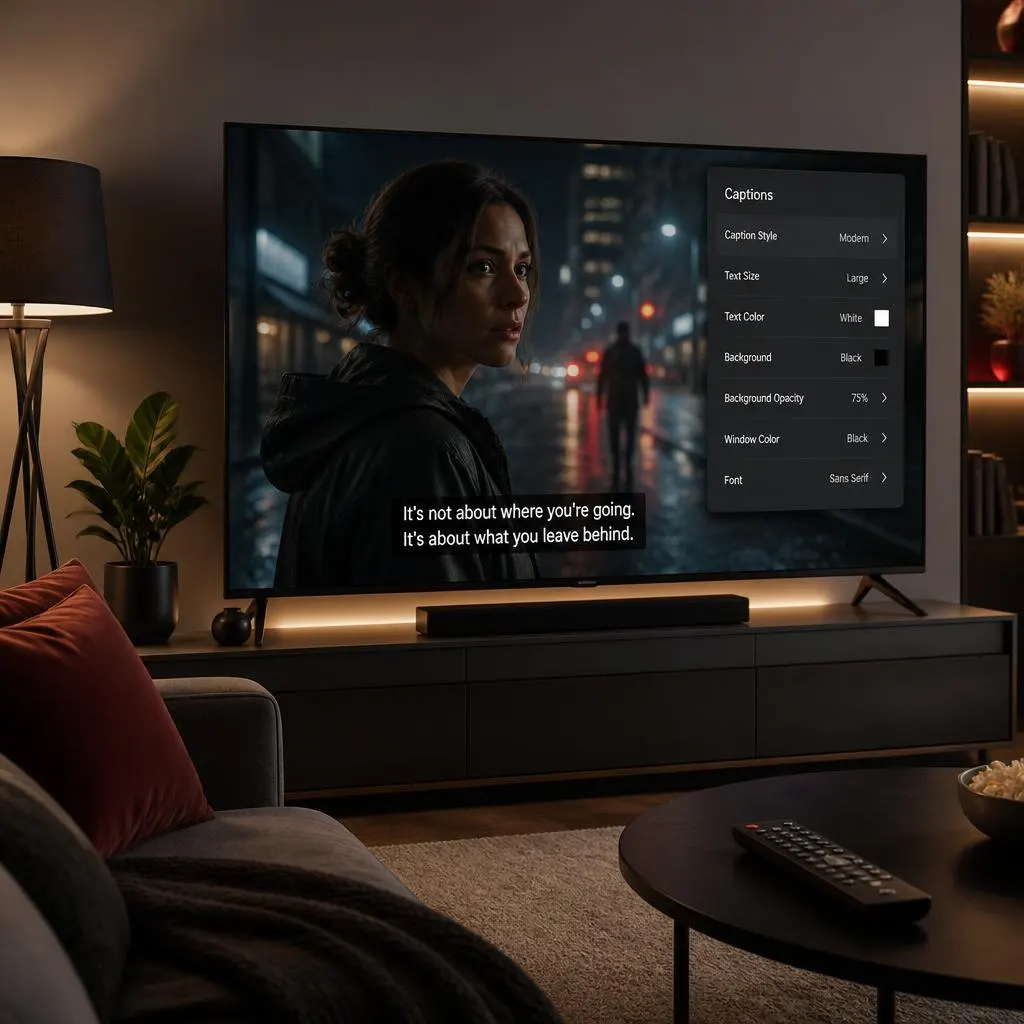
Quick Answer:
Netflix closed captioning displays spoken dialogue as text on the screen, along with important sound effects, speaker identification, and other audio cues when available. To turn captions on or off, start playing a title, open the Audio & Subtitles menu, and select your preferred caption or subtitle option. Netflix also lets viewers customize caption appearance on supported devices. These accessibility features help people who are deaf or hard of hearing follow conversations, understand background sounds, and enjoy movies and TV shows more comfortably.
Netflix and closed captioning go hand in hand when you want to understand dialogue, follow a movie without sound, or enjoy a show with more accessible viewing options. Closed captions display spoken words as text and can also identify important sounds, music, and speaker changes. They help viewers who are deaf or hard of hearing, but they can also be useful in noisy rooms, during late night streaming, or whenever dialogue is difficult to understand.
Netflix offers subtitles and closed captions for many movies and TV shows, although the available languages and features vary by title and device. Knowing how to choose the right option can make your viewing experience more comfortable, whether you prefer English captions, another language, or no on screen text at all.
This guide explains what Netflix closed captioning means, how to turn it on or off, how to customize its appearance, and how to fix common caption problems across smart TVs, phones, computers, and streaming devices.
What Is Closed Captioning on Netflix?
Closed captioning on Netflix displays dialogue and relevant audio information as text on the screen. Unlike subtitles that mainly show spoken words, closed captions can also describe sounds such as a door slamming, music playing, or a character laughing.
To enable captions, play a Netflix title, open Audio & Subtitles, and select a subtitle or caption option labeled English CC, English [CC], or another available language. To disable them, open the same menu and select Off.
The exact labels depend on the title, language, device, and Netflix app version. Not every title offers a separate closed caption track.
What Does Netflix Closed Captioning Mean?
Closed captioning converts important audio information into readable text that appears alongside the video. It can communicate what characters say, who is speaking, and which sounds matter to the scene.
For example, a conversation might display the spoken dialogue, while a caption such as “door slams” explains a sound that affects the scene. Music captions may also describe the mood or type of music when that information is relevant.
The word closed means viewers can choose whether to display the captions. They are not permanently part of the picture when provided as a selectable caption track.
Netflix uses different subtitle and caption options depending on the content. A track marked CC generally indicates captions intended to include relevant audio information beyond dialogue, although the exact level of detail can vary.
Closed Captions vs. Subtitles on Netflix
The difference between captions and subtitles is important if you want to follow a conversation, understand a foreign language, or get more information from a scene.
Subtitles
Subtitles primarily display spoken dialogue. They can translate dialogue into another language or show the original spoken words as text.
Closed captions or SDH
Captions intended for deaf and hard of hearing viewers can include dialogue, speaker identification, and descriptions of meaningful sounds or music.
Netflix uses the term Subtitles for the Deaf and Hard of Hearing, commonly abbreviated as SDH, for caption tracks intended to make dialogue and other audio information accessible. Netflix’s terminology distinguishes these tracks from ordinary dialogue subtite
Here is a simple example of how the two formats may differ.
- Dialogue subtitle: Please wait for me.
- Closed caption: Maya: Please wait for me.
- Closed caption with sound information: A door slams. Maya: Please wait for me.
These examples illustrate common captioning conventions. The exact wording and detail depend on the caption track.
What Does CC Mean on Netflix?
CC stands for closed captions. When you see a label such as English CC, it generally identifies an English caption option that includes relevant sound information as well as dialogue.
You may also see English SDH or a similar label. SDH and CC have closely related accessibility goals, although the terms can refer to different technical formats and production standards. Netflix sometimes uses them in closely related ways in its viewing interface and documentatio
If you want to know exactly what a particular track includes, try playing a short scene and compare the available English subtitle options.
How to Turn On Closed Captioning on Netflix
If you want more than ordinary dialogue subtitles, look for a CC or SDH option while watching your chosen title.
Step 1: Start a movie or show
Open Netflix on your preferred device and begin playing a title that supports captions.
Step 2: Open Audio & Subtitles
Tap or click the screen on a phone or computer. On most TVs and streaming devices, use the remote to open the playback controls.
Step 3: Choose a CC or SDH track
Select a caption option such as English CC or English SDH if the title offers one. If you only see English, that title may not provide a separate caption track in your selected language.
Resume playback and see whether dialogue and relevant sound descriptions appear. If you need a different style or size, look for the subtitle appearance controls.
Netflix’s official instructions explain how to access the audio and subtitle menu and note that some titles do not offer SDH for every season or episode.
How to Customize Netflix Closed Captions
Captions should be comfortable to read without distracting you from the scene. Netflix provides appearance settings that can change the font, text size, shadow, and background color, although available controls differ by device and language.
Change Caption Appearance on a Computer
If you want to adjust captions across supported devices, begin with your Netflix account in a web browser.
- Open Netflix and visit your Account page.
- Open Profiles and select the profile you want to update.
- Select Subtitle appearance.
- Choose your preferred font, size, shadow, and background settings.
- Save your changes.
- Reopen Netflix and play a title to test the new style.
Netflix notes that some appearance settings are not available in certain countries or may not appear on older devices.
Change Caption Appearance on a Smart TV
Some supported TVs let you customize captions directly in the Netflix app.
- Play a movie or show.
- Pause playback and open the player controls.
- Select Settings if the option appears.
- Adjust the available subtitle size and style.
- Resume the video to review the changes.
If you cannot find a Settings option, your device or selected language may not support in app appearance controls. You can check Netflix’s account settings or the device’s own accessibility options instead.
Change Caption Appearance on Android
On supported Android phones and tablets, Netflix offers profile specific subtitle appearance controls within the app.
- Open Netflix and tap My Netflix.
- Tap your profile name.
- Choose Manage Profiles.
- Select the profile you want to edit.
- Tap Subtitle Appearance.
- Choose your preferred style.
Netflix states that changes made through its Android app apply to titles played on that Android device.
What Caption Style Is Easiest to Read?
A useful caption style depends on your screen, eyesight, viewing distance, and background.
- Small text: Can suit a phone viewed up close, but may be difficult to read from a sofa.
- Medium text: A practical starting point for many viewing situations.
- Large text: Helpful when you sit far from the TV or prefer more visible lettering.
- Dark background: Can improve contrast when a scene has bright or changing colors.
- Text shadow: Can help separate letters from the picture without covering too much of the scene.
Test the changes on both a bright scene and a dark scene. A style that looks clear during a daytime conversation may be harder to read during a night scene.
How Netflix Closed Captioning Improves Accessibility
Closed captions do more than display dialogue. They provide information that viewers may otherwise miss when they cannot hear the soundtrack clearly.
Captions provide access to spoken dialogue and relevant sounds, helping viewers understand conversations, reactions, and changes in a scene.
Captions make it easier to follow a show at a low volume or in a shared room where turning up the sound would disturb someone
Understanding dialogue in noisy places
Text can help when background noise makes speech difficult to hear, even when you use headphones or increase the volume.
Following unfamiliar speech and accents
Captions can make dialogue easier to follow when characters speak quickly, use unfamiliar accents, or deliver quiet lines.
Netflix identifies subtitles and closed captions as part of its accessibility features, alongside tools such as screen reader support and audio descriptions.
Closed Captions and Language Learning
Captions can also support language learners who want to connect spoken words with written language. Watching a show with captions in the original language can help you notice vocabulary, pronunciation, and expressions in context.
For example, someone learning English might watch an English language show with English captions, pause when a phrase is unfamiliar, and replay the dialogue. Someone learning another language can use the same method when an appropriate caption track is available.
Captions are not a complete language learning course, and they do not guarantee that every word or expression will be easy to understand. However, they can make authentic dialogue more accessible and easier to review.
Closed Captions Are Not the Same as Audio Description
If you need spoken explanations of visual events, look for Audio Description, often abbreviated as AD. This feature adds narration describing visual details such as actions, facial expressions, and scene changes.
Closed captions communicate audio information through text. Audio descriptions communicate visual information through spoken narration. They serve different accessibility needs, and some Netflix titles offer both.
Why Netflix Closed Captions May Be Missing
If you cannot find a CC or SDH option, it does not necessarily mean something is wrong with your account. Caption availability can vary by title, season, language, location, profile preferences, and playback device.
Here are the most useful checks.
The Title Does Not Offer a Separate CC Track
Some shows provide ordinary dialogue subtitles without a separate SDH or CC option. Check the title’s details page for an SDH indicator, then review the available tracks in Audio & Subtitles.
If the track is unavailable for a particular episode, there may be no setting you can change to make it appear.
Your Preferred Caption Language Is Missing
Netflix does not offer every language for every title. Availability can depend on licensing, your location, profile language preferences, and the device you use.
Try these steps:
- Open Audio & Subtitles during playback.
- Select Other if the option appears.
- Review the available languages.
- Check the same title on another supported device if you suspect the device is limiting the choices.
For downloaded videos, Netflix may display only the two most relevant language options. If you need more options, Netflix advises deleting the download and checking the language menu while streaming.
Captions Look Too Large or Too Small
If captions are difficult to read, check whether you have changed both Netflix’s appearance settings and your device’s accessibility settings. Two separate size adjustments can make captions unexpectedly large. Netflix recommends reviewing the settings on the account or device when this happens.
Captions Are Out of Sync or Contain Errors
If the text does not match the dialogue, try another episode or title to see whether the problem is limited to one video. Restart playback and check for app updates if the issue affects several titles.
If you notice a persistent problem with a particular title, use Netflix’s available reporting or support options. Caption timing and accuracy can require correction at the content level, so changing your font or size will not fix every issue.
Common Mistakes to Avoid With Netflix Closed Captioning
A few simple habits can make captions more useful and prevent unnecessary troubleshooting.
- Choosing ordinary subtitles when you need sound descriptions: Look for a CC or SDH track when available.
- Assuming every title has the same options: Check the specific movie, episode, and language.
- Changing the entire profile language unnecessarily: Caption language and interface language are separate preferences.
- Ignoring device settings: TVs and streaming devices may have their own accessibility controls.
- Making captions too small: Choose a size that remains comfortable to read from your usual viewing distance.
- Confusing captions with audio descriptions: Use captions for written audio information and AD for spoken descriptions of visual events.
- Expecting embedded text to disappear: If text is permanently part of the picture, selecting Off will not remove it.
FAQs
1. Does Netflix have closed captioning?
Yes. Netflix offers subtitles and caption tracks, including SDH options for many titles. Availability varies by title, language, and device.
2. What does English CC mean on Netflix?
English CC generally refers to English closed captions. These can include dialogue and relevant sound descriptions, not just spoken words.
3. What is the difference between English and English CC on Netflix?
Where both options are available, English may display only spoken dialogue, while English CC can include speaker information and relevant sounds. Netflix introduced this distinction for supported titles to give viewers more choice.
4. How do I turn on closed captions on Netflix?
Play a title, open Audio & Subtitles, and choose the available CC or SDH option in your preferred language. If you cannot see a separate option, the title may not offer one.
5. Can I customize the appearance of Netflix captions?
Yes. Supported settings include font, size, shadow, and background color. The available controls depend on your device, language, and location.
6. Why does Netflix show subtitles even when they are turned off?
Some titles include dialogue in a language different from the original language of the show or movie. Netflix may display subtitles for that dialogue even when your subtitle setting is Off.
7. Are Netflix closed captions available in every language?
No. Language availability varies by title and may also depend on location, profile preferences, device, and licensing. Some seasons or episodes may have different options.
8. Can I use closed captions on Netflix without sound?
Yes. You can mute the audio and continue reading the available caption track. Captions are particularly useful when you cannot play audio aloud, although sound descriptions may not communicate every detail of the original soundtrack.
9. Do Netflix captions work on smart TVs and phones?
Yes. Netflix supports subtitle and caption controls across many smart TVs, phones, tablets, computers, and streaming devices. The appearance and location of the controls differ between platforms.
10. Can closed captions help people learning English?
Yes. Captions can help learners connect spoken dialogue with written words, review unfamiliar expressions, and follow fast conversations. Choosing captions in the language being learned can provide useful practice.
11. What does SDH mean on Netflix?
SDH stands for Subtitles for the Deaf and Hard of Hearing. These captions are intended to communicate dialogue and relevant audio information to viewers who cannot fully access the soundtrack through hearing.
12. How do I report a captioning problem on Netflix?
If a caption track is missing, inaccurate, or consistently out of sync, check whether the issue affects one title or several. You can then use the Netflix Help Center or its available problem reporting tools to provide details.
Conclusion
Netflix and closed captioning offer more than a way to read dialogue. They can make entertainment easier to follow, improve access for deaf and hard of hearing viewers, and help people enjoy movies in different environments.
To get started, open Audio & Subtitles, choose a CC or SDH track when available, and customize its appearance if needed. If captions are missing, check the individual title and available languages before changing your device settings.
The best caption setup is the one that makes your viewing experience clearer, more comfortable, and more accessible.