Quick Answer:
Closed captions are on-screen text that displays spoken dialogue and important sounds in a video, such as music, laughter, or a door slamming. They help deaf and hard-of-hearing viewers understand audio content and make videos easier to follow in noisy places or when the sound is turned off. Unlike regular subtitles, closed captions can include important non-speech sounds and can usually be turned on or off using the CC button.
The meaning of closed captions is simple: they are on-screen text that displays spoken dialogue and important sounds in a video, TV show, movie, or online stream. They help viewers understand what is happening without relying entirely on audio. Closed captions are especially useful for people who are deaf or hard of hearing, but anyone can benefit from them when watching videos in a noisy place or with the sound turned off.
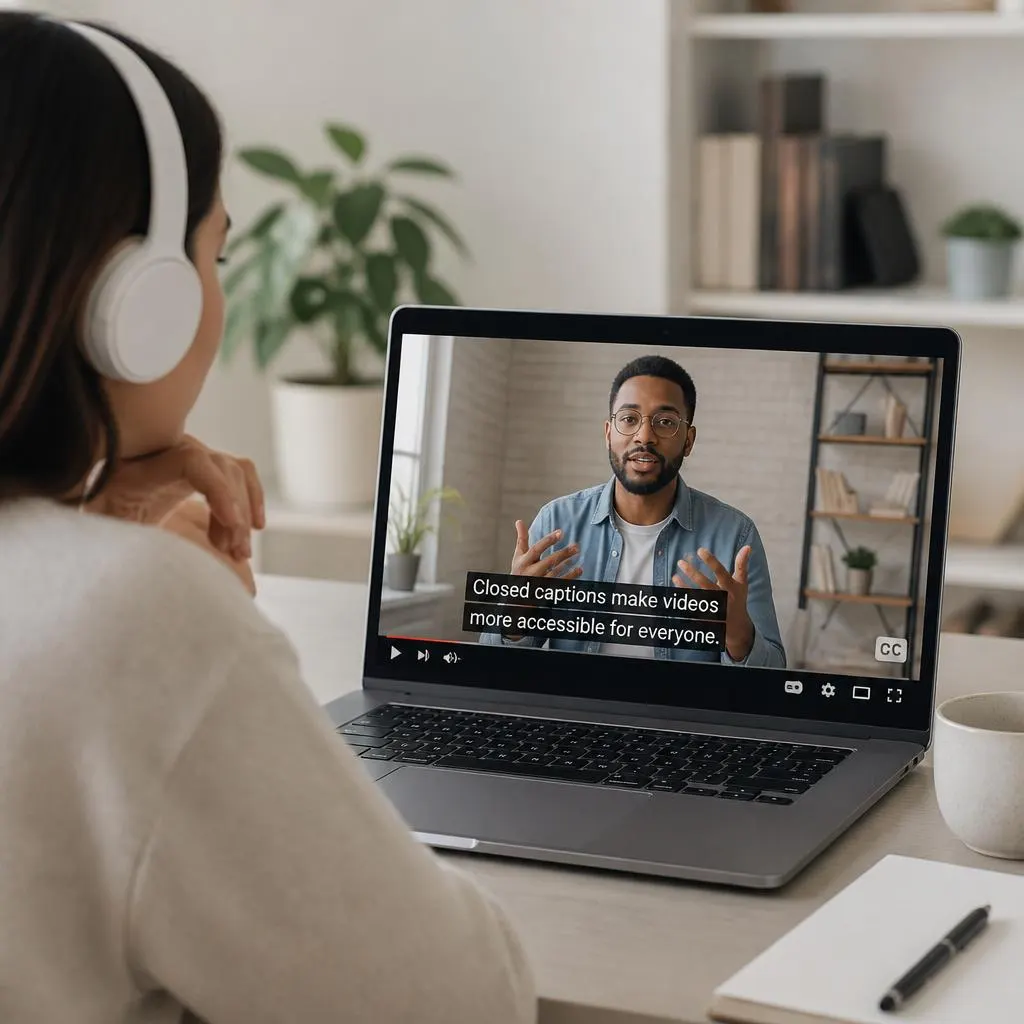
You may have noticed the CC button on YouTube, Netflix, or other streaming platforms. That button lets you turn closed captions on or off when captions are available. Unlike ordinary subtitles, closed captions can also describe sound effects, background music, and other audio cues that help explain a scene.
Understanding closed captions also helps you choose the right accessibility settings, create more inclusive videos, and distinguish closed captions from subtitles, open captions, and automatic transcription.
What Is the Meaning of Closed Captions?
Closed captions are written representations of the important audio information in a video. They usually include spoken words, speaker identification when needed, and meaningful sounds that viewers might otherwise miss.
For example, a video might show:
- The doorbell rings.
- Sarah: Are you ready to leave?
- James: Give me one more minute.
- Soft music plays in the background.
These lines communicate more than dialogue alone. They help viewers understand who is speaking and what sounds are happening around them.
The word closed refers to the viewer’s ability to switch captions on or off. When a video offers closed captions, viewers can usually control whether the text appears through a CC button or an accessibility setting.
In short, closed captions make video content easier to follow by turning important audio information into readable text.
What Do Closed Captions Look Like?
Example of closed captions in a video
A quiet evening at home
Soft piano music plays.
Emma: This feels like the perfect evening.
Illustrative example. Actual captions appear in sync with the video’s audio.
Closed captions generally appear near the bottom of the video, although their position can vary. A media player may let viewers adjust their size, color, background, or placement.
Good captions should match the audio, appear at the right time, and remain easy to read. They should also include important sound information when it helps explain what is happening.
Closed Captions vs. Subtitles: What’s the Difference?
Closed captions and subtitles both display text alongside video content, but they often serve different purposes. The main distinction is whether the text communicates important sounds as well as dialogue and whether it translates the spoken language.
Closed captions
Describe spoken dialogue and relevant non-speech sounds. Viewers can usually turn them on or off.
Subtitles
Usually display spoken dialogue, often translated into another language, for viewers who want to understand what is being said.
Open captions
Stay visible because they are permanently embedded in the video. Viewers cannot switch them off using the player.
These distinctions are useful, but terminology varies by country and platform. Some services label same-language captions as subtitles or use the combined term “Subtitles/CC.” What matters most is the information the text provides and how viewers can control it.
A Simple Example
Imagine you are watching a movie in English that includes a loud knock at the door.
- Closed captions: A loud knock echoes through the room.
- English subtitles: The character’s spoken dialogue appears as text.
- Spanish subtitles: The character’s dialogue appears translated into Spanish.
- Open captions: The selected caption text stays permanently visible in the video.
This example shows why captions can offer more information than dialogue-only subtitles.
Why Are Closed Captions Important for Accessibility?
Closed captions make audiovisual content more accessible by giving people a text alternative to important audio information. They help viewers follow conversations, identify speakers, and understand sounds that contribute to a scene’s meaning.
Here are the main reasons they matter.
1. They Support Deaf and Hard of Hearing Viewers
People who cannot hear all or some of a video’s audio may miss dialogue, music cues, warnings, and other sounds. Accurate captions provide access to information that would otherwise be difficult or impossible to hear.
2. They Make Videos Easier to Understand
Some viewers understand information more easily when they can both hear and read it. Captions can help people follow unfamiliar names, technical terms, accents, and fast conversations.
3. They Help in Noisy Environments
You might watch a video while traveling, sitting in a busy waiting room, or working in a shared office. Captions let you follow the content when background noise makes listening difficult.
4. They Allow Silent Viewing
Many people watch social videos without turning on the sound. Closed captions can help them understand the message, provided they remember to enable captions when they are available.
5. They Improve Access to Educational Content
Teachers, trainers, and students can use captions to follow lectures, tutorials, demonstrations, and recorded lessons. Captions can be particularly useful when a speaker explains complicated terms or moves quickly between ideas.
6. They Help Viewers Follow Important Sound Cues
A caption such as “The alarm begins to ring” can communicate information that dialogue alone does not provide. This is especially important in films, documentaries, instructional videos, and emergency-related content.
Captions do not replace every other accessibility feature. For example, people who cannot see important visual information may also need audio description. Each feature addresses a different access need.
Where Are Closed Captions Used?
You can find closed captions across many types of video and digital media. Their availability depends on the platform, the content creator, and whether a caption track has been provided or generated.
- YouTube videos: Educational tutorials, interviews, reviews, podcasts, and entertainment.
- Streaming services: Movies, television shows, documentaries, and original series.
- Live broadcasts: News programs, online events, webinars, and some live streams.
- Online classes: Recorded lectures, lessons, training sessions, and presentations.
- Social media: Videos and other content on platforms that support selectable captions.
- Business communication: Employee training, product demonstrations, and recorded meetings.
- Public information videos: Safety instructions, community announcements, and educational campaigns.
Not every video includes captions, and some caption tracks may contain mistakes. Check the available caption settings rather than assuming every video offers an accurate option.
What Does CC Mean on YouTube and Other Platforms?
CC stands for Closed Captions. It is a common label for a video player’s caption control.
When you see a CC icon, you can often select it to show captions, hide them, or access caption settings. The exact steps depend on the device and platform.
On YouTube, captions may be manually uploaded by the creator or generated automatically using speech recognition. Some videos also offer translated subtitle tracks.
Automatic captions are convenient, but they can misinterpret words, names, punctuation, and background sounds. Reviewing the text against the original audio helps improve accuracy.
How to Turn Closed Captions On
Use these general steps to look for captions while watching a video.
- Open a video on a platform that supports captions.
- Look for the CC icon or the settings menu.
- Select captions or subtitles.
- Choose the language you want, if multiple options are available.
- Adjust the caption appearance if the player offers those settings.
To turn captions off, return to the same menu and select the off option. Some devices use a different menu, so the controls may not look exactly the same everywhere.
How Do Closed Captions Work?
Closed captions appear through a text track synchronized with the video’s audio. That track contains text segments with timing information so each line appears at the appropriate moment and disappears when it is no longer needed.
Creators generally prepare captions in one of three ways.
Manually Created Captions
A person listens to the audio, transcribes the dialogue, identifies important sounds, and synchronizes the text with the video. Human review can help capture context, speaker changes, names, and sound cues.
Automatically Generated Captions
Speech recognition software analyzes the audio and produces text. This method can save time, but the output may contain errors, especially when speakers talk quickly, use unfamiliar terminology, or speak over background noise.
Edited Automatic Captions
A creator starts with automatically generated text and then corrects mistakes, adds missing dialogue or relevant sounds, and checks the timing. This approach combines automation with human review.
The most useful captions accurately represent the audio and stay synchronized with it. Automatic text alone should not be treated as proof that a video is fully accessible.
Closed Captions vs. Open Captions vs. Transcripts
These three terms are related, but they describe different ways of presenting video information.
| Feature | Closed captions | Open captions | Transcripts |
|---|---|---|---|
| Display | Inside the video player | Permanently embedded in the video | Usually a separate text document |
| Can viewers turn them off? | Usually yes | No | Not applicable |
| Synchronized with video | Yes | Yes | Usually not |
| Includes important sound cues | Should when relevant | Should when relevant | Can include them |
| Common use | Streaming and online video | Social videos and presentations | Study notes and reference material |
A transcript is useful when someone wants to read or search the entire conversation without playing the video. Captions are better suited to following dialogue and sounds as they happen. A transcript can also include timestamps, but a plain transcript typically does not synchronize text with playback.
What Makes Closed Captions Accurate and Accessible?
Simply displaying words on a screen does not guarantee a good captioning experience. The text must communicate the important audio information clearly and consistently.
Use these principles when creating or reviewing captions.
- Accuracy: Write what the speaker actually says. Correct names, numbers, technical terms, and other details.
- Synchronization: Display each caption when the corresponding speech or sound occurs.
- Completeness: Include all meaningful dialogue and relevant non-speech audio, not just selected sentences.
- Speaker identification: Make it clear who is speaking when viewers might otherwise be confused.
- Readable presentation: Use clear text, sensible line breaks, and sufficient contrast.
- Useful sound descriptions: Include important cues such as a siren, a ringing phone, or meaningful background music.
- Appropriate placement: Avoid covering faces, essential on-screen text, or other important visual information.
These practices help viewers understand the video without constantly correcting mistakes or guessing what a sound means. The W3C accessibility guidance also emphasizes that captions should convey the audio information needed to understand synchronized media.
Common Closed Captioning Mistakes to Avoid
Captioning errors can change the meaning of a conversation or make a video difficult to follow. These are some of the most common problems to watch for.
Relying on Unedited Automatic Captions
Speech recognition can confuse similar-sounding words or miss an important negative word such as “not.” Review automatically generated captions before publishing whenever possible.
Leaving Out Meaningful Sounds
Dialogue-only text may miss an alarm, a significant crash, or a sound that explains a character’s reaction. Include sounds that matter to the viewer’s understanding.
Using Incorrect Speaker Labels
If multiple people speak, unclear speaker identification can make a conversation confusing. Identify speakers when their voices or positions are not obvious.
Displaying Captions at the Wrong Time
Captions that appear too early, too late, or disappear before the speaker finishes can interrupt comprehension. Check timing throughout the video.
Making Text Difficult to Read
Tiny lettering, poor contrast, long lines, and excessive text can make captions hard to follow. Use readable formatting and break dialogue into manageable sections.
Confusing Captions With Translation Alone
A translated subtitle track can help viewers understand another language, but it may not include all the non-speech information needed for accessibility. Consider what the audience needs to understand the entire scene, not just the words.
FAQs
Here are quick answers to common questions about CC, subtitles, and video accessibility.
What is the meaning of closed captions in simple words?
Closed captions are text on a video that shows spoken words and important sounds. Viewers can usually turn them on or off using the video player’s settings.
What does CC stand for?
CC stands for Closed Captions. It is a common label on televisions, streaming services, and online video players for controlling caption display.
Are closed captions the same as subtitles?
Not always. Closed captions typically include dialogue and meaningful non-speech sounds, while subtitles often focus on dialogue, especially when translating it into another language. Some platforms use these terms interchangeably.
Why do people use closed captions?
People use closed captions to access dialogue and important sounds, follow videos in noisy environments, watch content silently, and understand educational or entertainment videos more easily.
Do closed captions include sound effects?
Yes. Quality captions include meaningful sound effects, music cues, laughter, and other non-speech audio when those details help viewers understand the content.
Can I turn closed captions off?
Usually, yes. That is the main difference between closed captions and open captions. Look for the CC button or caption settings in your video player.
What is the difference between CC and subtitles on YouTube?
CC refers to closed captions, while subtitles may refer to translated dialogue or another available text track. YouTube’s terminology and available options can vary by video, language, and interface.
Are automatic closed captions always correct?
No. Automatic captions can mishear words, omit sounds, or display incorrect names and punctuation. Reviewing them against the original audio improves reliability.
Do closed captions help people who can hear normally?
Yes. They can help people understand unfamiliar terminology, follow fast conversations, watch videos without sound, and concentrate on educational content.
Are closed captions required for every video?
Requirements depend on the type of content, the applicable accessibility standards, and the relevant laws or policies. The W3C Web Content Accessibility Guidelines address captions for prerecorded video with audio at Level A and live video with audio at Level AA. Specific legal obligations depend on the context and jurisdiction.
What is the difference between closed captions and a transcript?
Closed captions appear in sync with a video. A transcript is generally a separate written version of the audio that readers can review at their own pace.
Can closed captions be translated into another language?
Yes, when the platform or creator provides a translated caption or subtitle track. Translation can improve language access, although quality depends on the accuracy of the translation and the information included.
Conclusion
The meaning of closed captions goes beyond displaying spoken words on a screen. Closed captions provide synchronized text for dialogue and important sounds, giving viewers another way to understand video content. They support deaf and hard of hearing audiences while also helping people who watch videos in noisy places, study online, or prefer reading along.
When you see the CC icon, you know that a video may offer a caption track you can control. For creators, choosing accurate captions and checking their timing is an important step toward making videos more inclusive and easier to understand.