
Quick answer:
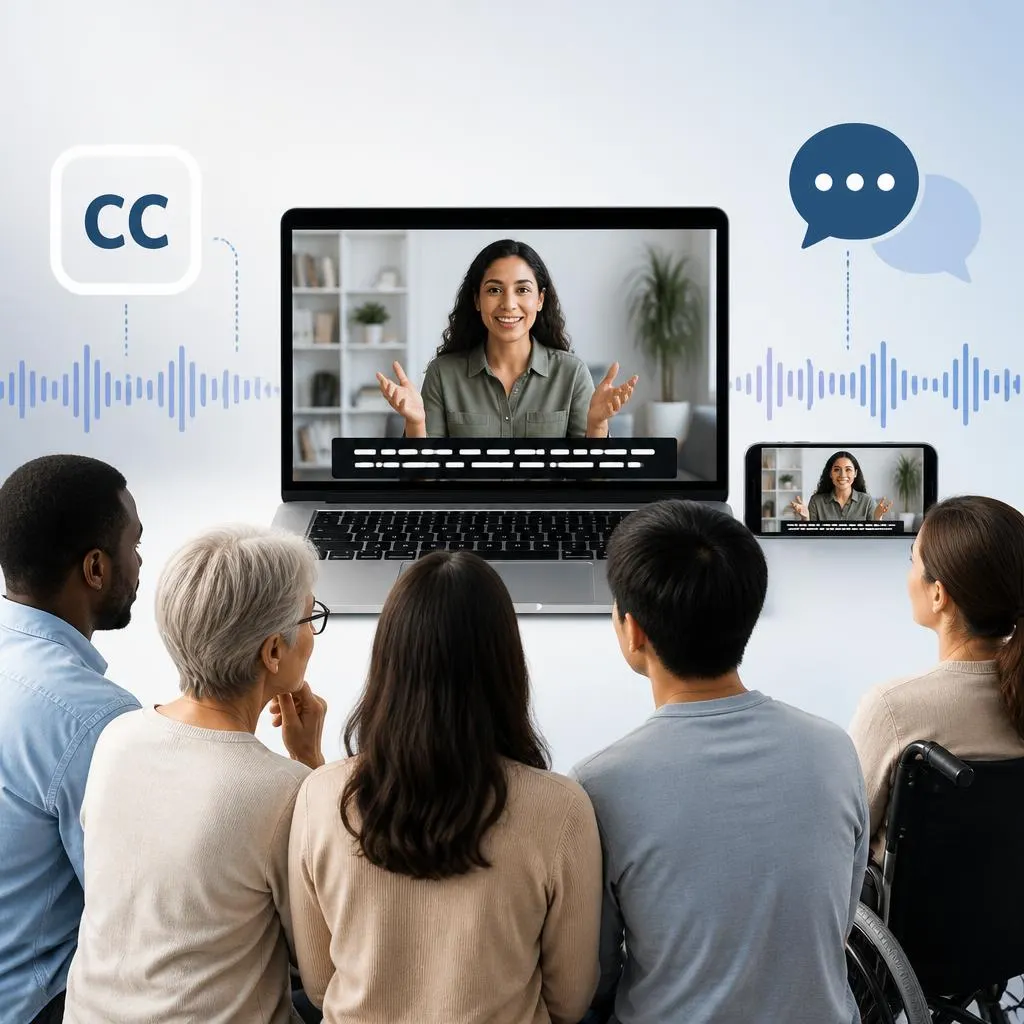
Closed captions are on-screen text that represents spoken dialogue and important audio information in a video. Viewers can turn them on or off, which makes closed captions different from open captions that remain visible. They can include dialogue, speaker identification, sound effects, music cues, and other meaningful audio details. Closed captions improve accessibility, especially for people who are deaf or hard of hearing, while also helping viewers understand videos in noisy, quiet, or sound-sensitive environments.
Ever watched a video with the sound muted and still understood what was happening? That is one of the key benefits of closed captions. They turn spoken words and meaningful audio details into readable text, helping more people follow videos across streaming platforms, social media, online courses, meetings, and other digital content.
What Are Closed Captions?
Closed captions convert important audio information into readable text displayed on a video screen. They primarily help viewers understand content when they cannot hear or choose not to listen to the audio.
A closed caption track can contain more than the words spoken by people on screen. Depending on the video, captions may identify:
- Spoken dialogue
- Different speakers
- Important sound effects
- Music or lyrics when relevant
- Laughter
- Doorbells, alarms, or phones ringing
- Changes in the audio environment
- Other sounds that contribute meaning to the scene
The word closed refers to the fact that viewers can usually switch the captions on or off. Many video players show a CC button for this feature.
For example, imagine a video showing two people having a conversation while an alarm sounds in the background. A caption track might communicate both the conversation and the important sound:
Maya: We need to leave now.
Alarm sounds.
That gives the viewer more information than dialogue alone.
Why Do Closed Captions Matter?
Closed captions play an important role in accessible video content because not every viewer experiences audio in the same way.
For someone who is deaf or hard of hearing, captions can provide information that would otherwise come through the soundtrack. For other viewers, captions can solve everyday problems such as unclear audio, background noise, unfamiliar accents, or a situation where playing sound would disturb others.
Captions can also make online content easier to follow in places such as:
- Public transportation
- Offices
- Libraries
- Waiting rooms
- Gyms
- Classrooms
- Cafes
- Shared homes
- Busy outdoor locations
A viewer may understand a video perfectly with captions even when listening to the audio is inconvenient.
Closed Captions vs. Subtitles
People often use closed captions and subtitles interchangeably, but they can serve different purposes.
Subtitles traditionally focus on translating or transcribing spoken dialogue, especially when viewers do not understand the language being spoken. Closed captions can provide additional information about sounds and speakers.
| Feature | Closed Captions | Subtitles |
|---|---|---|
| Spoken dialogue | Yes | Yes |
| Speaker identification | Often | Sometimes |
| Important sound effects | Often | Usually limited |
| Music or meaningful audio cues | Can include them | Usually limited |
| Designed for accessibility | Yes | Not necessarily |
| Can be turned on or off | Usually | Usually |
| Translation | Not required | Often used for translation |
The distinction can vary between platforms and regions, so the terms do not always follow one strict rule.
For example, a video might use subtitles to translate Spanish dialogue into English. Closed captions for an English video might instead include:
[door closes]
or
Alex: I’ll call you tonight.
The second example provides information beyond the spoken words.
Closed Captions vs. Open Captions
The biggest difference between closed and open captions is whether the viewer can control them.
Closed captions can generally be enabled or disabled through the video player.
Open captions are permanently embedded into the video. Everyone who watches the video sees them.
| Feature | Closed Captions | Open Captions |
|---|---|---|
| Viewer can turn them off | Usually | No |
| Permanently embedded | No | Yes |
| Viewer controls display | Usually | No |
| Useful for accessibility | Yes | Yes |
| Works independently of video player controls | Not always | Yes |
| Common on social media videos | Yes | Very common |
Open captions can work well for social media because many people watch videos with sound turned off. Closed captions offer more viewer control.
How Closed Captions Work
Closed captions require a text track that corresponds with the video’s audio. The text needs to appear at the right time so viewers can read it while the dialogue or sound occurs.
A typical captioning process includes several steps.
1. The audio gets transcribed
Someone or something converts the spoken audio into text.
Automatic speech recognition can create a first draft, while a human captioner can create or correct the transcript.
2. The text gets synchronized
Captions need accurate timing. If a sentence appears too early or too late, viewers may struggle to connect the words with the speaker.
3. Important sounds get identified
A good accessibility-focused caption track may include meaningful sounds that affect the viewer’s understanding.
Examples include:
- Door slams
- Phone rings
- Crowd cheers
- Thunder crashes
- Baby cries
- Music starts
- Alarm beeps
Not every background noise needs a caption. The sound should matter to the meaning or experience of the content.
4. Speakers may be identified
Speaker labels can help viewers understand who is talking when several people appear in a conversation.
For example:
Jordan: Are you ready?
Taylor: Almost.
This creates a clearer viewing experience.
5. Captions are reviewed
Caption quality improves when someone checks spelling, timing, punctuation, speaker identification, and important audio descriptions before publication.
What Information Do Closed Captions Include?
A useful caption track focuses on information that helps viewers understand the video.
Dialogue
Dialogue is usually the most important element.
We should leave before sunset.
Speaker identification
Labels can help when multiple people speak.
Maria: Did you bring the tickets?
Meaningful sound effects
Important sounds can provide context.
Phone rings.
Music information
Music may receive a caption when it contributes to the meaning or mood.
Soft piano music plays.
Vocal reactions
Nonverbal sounds can sometimes matter.
Everyone laughs.
Changes in audio
Captions can communicate relevant changes that viewers cannot hear.
Whispering: Stay quiet.
The goal is not to describe every sound in a recording. The goal is to communicate audio information that a viewer needs to understand the content.
Who Uses Closed Captions?
Closed captions serve many audiences, not just one group.
People who are deaf or hard of hearing
Accessibility remains one of the most important reasons for providing captions. Captions can make spoken video content more accessible to viewers who cannot fully hear the audio.
People watching without sound
Many viewers watch videos in environments where audio is unavailable or inconvenient.
Captions allow them to follow the message without turning up the volume.
Language learners
Captions can help learners connect spoken English with written words. This can make unfamiliar vocabulary, pronunciation, and sentence structure easier to recognize.
People dealing with unclear audio
Background noise, poor microphones, strong accents, low volume, and other recording problems can make speech difficult to understand. Captions provide a written reference.
Students and online learners
Captions can support video-based learning by giving students another way to process spoken information.
Viewers in noisy environments
A busy airport, coffee shop, or public space can make dialogue difficult to hear. Captions provide useful backup information.
Accessibility Benefits of Closed Captions
Accessibility means creating content that more people can use and understand.
Closed captions support accessibility in several practical ways.
Better access to spoken content
Viewers can read dialogue rather than depending entirely on audio.
More independence
Captions let viewers control how they consume video content without requiring someone else to explain what was said.
Better comprehension
Written text can make unclear words easier to understand, especially when audio quality is poor.
Greater flexibility
A viewer can watch content with the volume lowered or completely muted.
More inclusive digital content
Adding captions helps content creators reach audiences with different hearing abilities and viewing circumstances.
Accessibility is not only about meeting a technical requirement. It also means making information easier for real people to access.
Are Closed Captions Only for People With Hearing Loss?
No.
This is one of the most useful things to understand about captions.
Although closed captions provide essential accessibility support for many deaf and hard of hearing viewers, other people use them every day.
Someone might turn captions on because:
- The speaker talks quietly.
- The recording has background noise.
- The viewer has difficulty understanding an accent.
- The viewer wants to watch without sound.
- The viewer is learning a language.
- The viewer wants to catch every word.
- The environment is too noisy.
- Other people nearby are sleeping or working.
This makes captions both an accessibility feature and a practical viewing tool.
Closed Caption Examples
Here are some simple examples of what closed captions can look like in different situations.
Conversation
Emma: I’ll meet you at six.
Two speakers
Daniel: Did you finish the report?
Mia: Yes, I sent it this morning.
Sound effect
Door slams.
Music
Upbeat music plays.
Crowd reaction
Audience applauds.
Emotional vocal sound
She laughs softly.
Important background event
Phone rings in the other room.
These examples show why closed captions can communicate more than a simple written transcript.
Closed Captions on YouTube, Streaming Services, and Social Media
Closed captions appear across many types of digital video.
YouTube
YouTube videos may offer caption controls that allow viewers to turn captions on when available. Creators can provide captions themselves or use automated captioning features that may require review and correction.
Streaming platforms
Movies and television shows commonly provide caption or subtitle options. Availability and terminology can differ between services and individual programs.
Online courses
Educational platforms often use captions to make lectures easier to follow and more accessible.
Video meetings
Meetings and webinars may provide live captions, allowing participants to read spoken dialogue as people talk.
Social media
Social platforms frequently support captions, although the exact features differ. Creators may also add text directly to videos as open captions.
Closed Captions vs. Live Captions
These terms sound similar, but they describe different situations.
Closed captions can refer to a prepared caption track that viewers can turn on or off.
Live captions appear during real-time speech, such as a meeting, livestream, lecture, or live event.
| Type | Main purpose | Timing |
|---|---|---|
| Closed captions | Provide accessible text for recorded video | Usually prepared with the content |
| Live captions | Display speech during a live event | Generated in real time |
| Open captions | Keep text permanently visible | Embedded in video |
| Subtitles | Display dialogue, often for translation | Usually synchronized with video |
Live captioning can be extremely useful, but automatic systems may make errors. Human review can improve accuracy when the situation allows it.
Common Closed Caption Mistakes
Good captions need more than a transcript.
Poor timing
Captions that appear too early or disappear too quickly can frustrate viewers.
Incorrect words
Automatic transcription may misunderstand names, technical terms, accents, or unclear speech.
Missing speakers
When multiple people speak, viewers may struggle to follow the conversation without speaker identification.
Ignoring important sounds
Leaving out meaningful audio can remove information that some viewers need.
Too much text
Large blocks of text can become difficult to read, especially when the speaker talks quickly.
Inconsistent punctuation
Clear punctuation helps readers understand pauses, questions, and changes in meaning.
Captions that cover important visuals
Text should not hide important information on the screen whenever positioning options allow better placement.
How to Make Better Closed Captions
If you create videos, a few habits can improve your caption quality.
- Start with an accurate transcript.
- Check automatic captions manually.
- Correct names, places, and specialized terms.
- Synchronize captions closely with speech.
- Identify speakers when needed.
- Include meaningful sounds.
- Keep text readable and concise.
- Use punctuation consistently.
- Check captions on mobile and desktop.
- Watch the complete video with captions before publishing.
A final review matters because even a small transcription error can change the meaning of a sentence.
Do Closed Captions Improve the Viewing Experience?
For many viewers, yes.
Captions give people another way to process video information. They can make dialogue easier to follow and allow viewers to understand content without relying completely on audio.
For creators, captions can also make videos more usable across different viewing situations.
However, captions should not replace good audio. Clear sound, readable captions, strong visual design, and accessible presentation work best together.
FAQs
What are closed captions used for?
Closed captions display spoken dialogue and meaningful audio information as text. They support accessibility and help viewers understand videos when they cannot hear or do not want to use audio.
What does CC mean on a video?
CC usually stands for closed captions. A CC button typically lets viewers turn captions on or off.
What is the difference between closed captions and subtitles?
Closed captions can include dialogue plus important sounds, speaker information, and other audio details. Subtitles often focus primarily on spoken dialogue, particularly when translating one language into another.
Are closed captions the same as transcripts?
No. A transcript usually presents the words from a recording as text, while timed captions synchronize text with the video. Captions may also include speaker identification and meaningful sound information.
Are closed captions important for accessibility?
Yes. Closed captions can provide essential access to spoken and meaningful audio content for people who are deaf or hard of hearing.
Can hearing people use closed captions?
Absolutely. Hearing viewers often use captions because of background noise, muted devices, unclear audio, language learning, personal preference, or environments where they cannot play sound.
Can closed captions include sound effects?
Yes. When a sound provides meaningful information, captions can describe it. Examples include door slams, phone rings, audience applauds, or alarm sounds.
Why are closed captions sometimes inaccurate?
Automatic captioning systems can misunderstand speech because of background noise, accents, overlapping speakers, unusual names, technical vocabulary, or unclear recordings. Human editing can improve accuracy.
conclusion
So, what are closed captions? They are a flexible accessibility feature that turns spoken dialogue and meaningful audio information into synchronized on-screen text. Unlike open captions, viewers can generally switch closed captions on or off.
Their value goes beyond accessibility. Captions help people watch videos without sound, understand unclear dialogue, follow different speakers, learn languages, and enjoy digital content in environments where listening is difficult.
For content creators, accurate captions are one of the simplest ways to make video content more inclusive and easier to understand. Good captions should match the spoken words, appear at the right time, identify important speakers, and include meaningful sounds without overwhelming the viewer.
If you create videos for YouTube, social media, education, business, or streaming platforms, treat captions as part of the viewing experience rather than an afterthought. Clear, accurate, well-timed captions can make your content accessible to a much wider audience.