
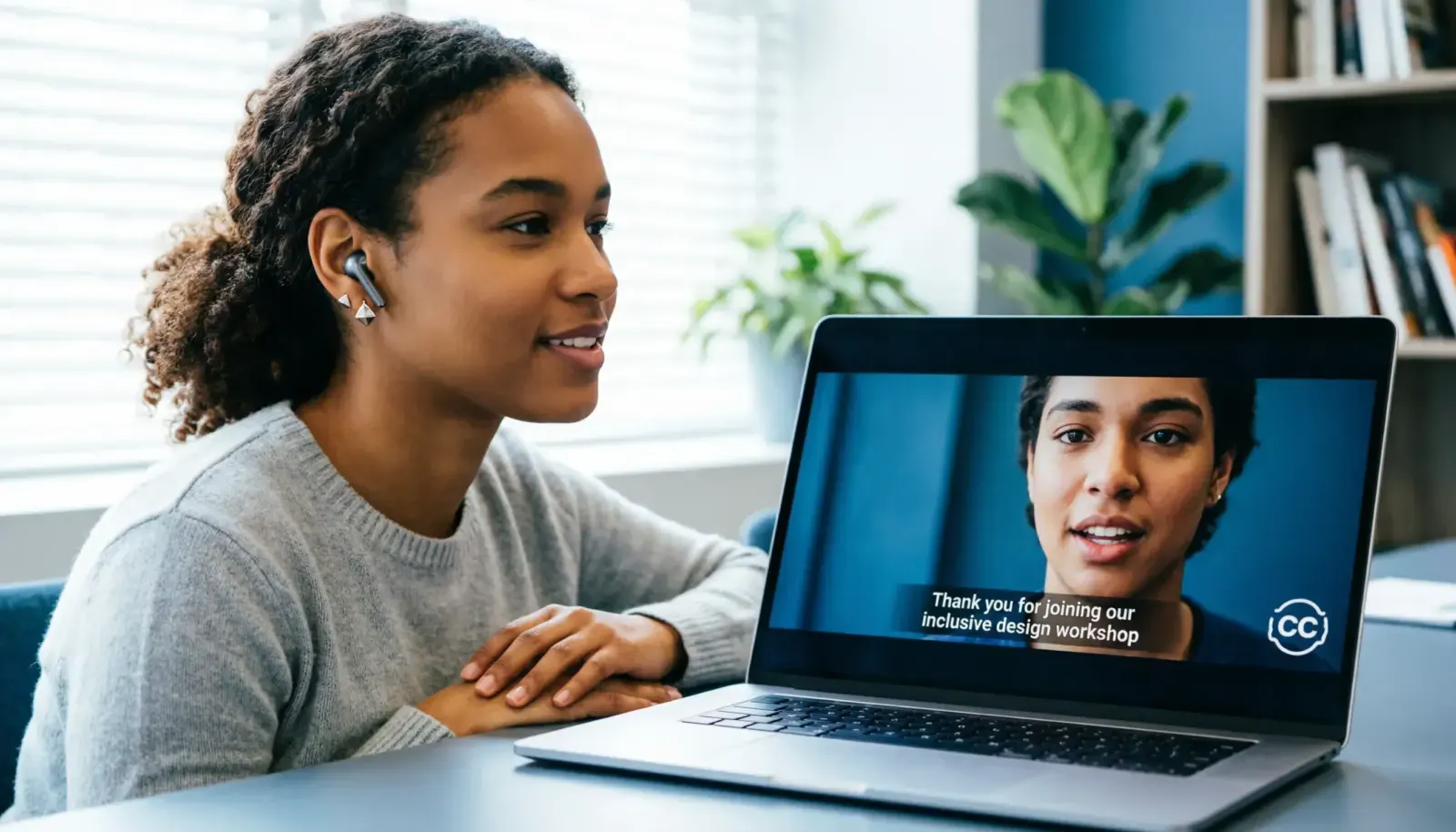
If you have ever noticed a CC button on a TV, YouTube video, streaming service, or social media clip, you may have wondered, what is closed captioning? In simple terms, closed captioning displays the important audio information from a video as synchronized text on the screen. It can include spoken dialogue, speaker identification, and meaningful sounds such as laughter, music, applause, or a door closing. (PBS Help)
The word closed means viewers can usually choose whether to turn the captions on or off. That makes closed captions different from open captions, which remain permanently visible in the video. (Boia)
Closed captioning plays an important role in accessibility, especially for people who are deaf or hard of hearing. It can also help people watching videos in noisy places, quiet environments, or situations where they cannot use sound. (Accessibility.com)
This guide explains what closed captioning means, how it works, why it matters, how it differs from subtitles, and what good captions look like.
What Is Closed Captioning in Simple Words?
Closed captioning is synchronized on-screen text that represents the important audio in a video and can be turned on or off by the viewer.
Unlike a simple transcript, good closed captions are timed to match the video. They communicate not only what people say but also important audio information that a viewer needs to understand the scene.
For example, a caption might communicate:
- Speaker: Are you coming with us?
- Laughter fills the room.
- Phone rings.
- Music becomes louder.
- Door slams.
- She whispers, I knew it.
The exact captioning conventions can vary by platform and style guide, but the main purpose remains the same: make meaningful audio information available in text form.
What Does “Closed” Mean in Closed Captioning?
The word closed refers to viewer control.
Closed captions are normally provided as a separate caption track or data stream that the viewer can activate or deactivate. Open captions are permanently displayed as part of the video image. (IEEE Technology Navigator)
Think of it this way:
- Closed captions: You choose whether to see them.
- Open captions: Everyone watching the video sees them.
- Subtitles: Usually focus on spoken dialogue, often for language translation.
- Transcript: A written record of spoken content that is not necessarily synchronized with the video.
That distinction makes the word closed much easier to understand.
Why Is Closed Captioning Important for Accessibility?
Closed captioning gives people access to information that would otherwise be delivered primarily through sound.
For someone who is deaf or hard of hearing, missing dialogue or important sounds can mean missing part of the story, lesson, announcement, joke, or conversation. Captions help provide that information visually. (PBS Help)
Accessibility is the primary reason closed captioning matters, but its usefulness extends beyond hearing accessibility.
Captions can also help:
- People watching videos without headphones
- People in noisy environments
- People watching in quiet public spaces
- People learning a language
- People who understand information better through reading
- Viewers dealing with unclear or low quality audio
- Students reviewing educational videos
- Employees watching workplace training
- Social media users scrolling with sound turned off
Closed captions therefore support a broader viewing experience while remaining especially important for people who rely on them.
What Information Do Closed Captions Include?
A strong caption track does more than copy every spoken sentence.
Depending on the content, closed captions can communicate several kinds of audio information.
Spoken Dialogue
This is the most obvious part of captioning.
Example:
- I thought you were already home.
Speaker Identification
Speaker labels can help viewers understand who is speaking when the person is not visually obvious.
Example:
- Maria: We should leave now.
- James: Give me five minutes.
Important Sound Effects
Sounds that affect the meaning of a scene can also be represented.
Examples:
- Door slams.
- Phone rings.
- Glass breaks.
- Crowd cheers.
- Baby cries.
Music and Other Relevant Audio
Music can sometimes communicate mood, information, or context.
Examples:
- Soft piano music plays.
- Suspenseful music builds.
- Crowd chanting continues.
The goal is not to describe every tiny noise. The goal is to provide the information necessary for someone who cannot hear the audio to understand the content.
Closed Captioning Examples You Can Understand Quickly
These examples show how captions can communicate both dialogue and meaningful audio.
Conversation Example
- Alex: Did you finish the project?
- Sam: Almost. I just need one more hour.
Sound Effect Example
- The door slams shut.
- Footsteps approach.
- A phone begins ringing.
Music Example
- Upbeat music plays.
- The music fades.
- A slow piano melody begins.
Emotional Scene Example
- She laughs softly.
- He pauses.
- She whispers, I missed you.
Crowd Scene Example
- Crowd cheers.
- Audience applauds.
- People shout excitedly.
Social Media Video Example
- Today we’re making homemade pizza.
- Oven timer beeps.
- Everyone laughs.
These examples demonstrate why closed captioning is more than simply placing dialogue at the bottom of a screen.
Closed Captions vs. Subtitles
One of the most common questions after what is closed captioning is whether closed captions and subtitles are the same thing.
They overlap, but they are not always used for the same purpose.
Closed captions generally communicate spoken dialogue along with relevant non-speech audio information. Subtitles generally focus on spoken dialogue, especially when translating dialogue from one language into another. (Accessibility.com)
For example, imagine a movie scene where someone says something while a phone rings in the background.
A subtitle might show:
- Are you coming?
Closed captions might communicate:
- Phone rings.
- Are you coming?
The difference becomes especially important for viewers who depend on captions to understand audio that cannot be heard.
That said, terminology and implementation can vary between platforms, countries, and content providers, so the labels are not always used perfectly consistently.
Closed Captions vs. Open Captions
The easiest difference is viewer control.
Closed Captions
Closed captions can generally be switched on or off.
They are typically delivered separately from the visual video itself, giving platforms and viewers greater control over their presentation. (Boia)
Open Captions
Open captions are permanently visible because they are incorporated into the video image.
Viewers cannot simply switch them off.
Quick Comparison
- Closed captions: Toggleable
- Open captions: Always visible
- Closed captions: Usually provided as a separate caption track
- Open captions: Burned into or rendered as part of the video
- Closed captions: Give viewers more control
- Open captions: Useful when captions need to be visible to everyone
Neither option is automatically right for every situation. The best choice depends on the platform, audience, content, and accessibility requirements.
Closed Captioning vs. Transcripts
A transcript and caption track both contain text, but they serve different purposes.
A transcript provides a written version of spoken content. It does not necessarily follow the timing of the video.
Closed captions are synchronized with the media so the text appears as the corresponding audio occurs.
For example, a transcript might contain an entire interview in continuous text.
Closed captions would display each portion of the conversation at the appropriate moment.
This timing makes captions much more useful while watching a video.
Where Is Closed Captioning Used?
Closed captioning appears across many forms of modern media.
You may encounter it on:
- Television programs
- Streaming services
- YouTube videos
- Online courses
- Webinars
- Video conferences
- Social media videos
- Recorded lectures
- Workplace training
- Government videos
- News broadcasts
- Public information videos
- Live events
- Digital advertisements
The CC symbol or a caption setting often indicates that a video provides a caption track.
How Does Closed Captioning Work?
At a basic level, the process has several stages.
1. Audio Is Transcribed
The spoken content is converted into written text.
This can happen through human captioning, speech recognition technology, or a combination of automated tools and human review.
2. Relevant Audio Is Identified
Caption creators determine which non-speech sounds are important to understanding the content.
This may include music, laughter, applause, alarms, or other meaningful sounds.
3. Text Is Synchronized
The captions are timed so they appear when the corresponding dialogue or sound occurs.
4. Captions Are Added to the Video
The caption track is associated with the video through the platform or media player.
5. Viewers Control the Display
With closed captioning, viewers can generally turn captions on or off according to their needs.
What Makes Closed Captions Good?
Simply having captions does not guarantee a good viewing experience.
High quality captions should be:
Accurate
The text should correctly represent what is being said.
Timely
Captions should appear at the appropriate moment instead of arriving too early or too late.
Readable
Text should be easy to read without overwhelming the viewer.
Complete
Important audio information should not be unnecessarily omitted.
Consistent
Names, terminology, punctuation, and speaker identification should remain consistent throughout the video.
Meaningful
Captions should help communicate the actual experience of the audio rather than adding unnecessary descriptions.
Accuracy and synchronization are particularly important because poor captions can make accessible content confusing rather than helpful.
What Are Examples of Poor Closed Captioning?
Bad captions can create unnecessary confusion.
Common problems include:
- Words that do not match the dialogue
- Captions appearing several seconds late
- Captions disappearing too quickly
- Incorrect speaker identification
- Missing important sound information
- Excessively long caption blocks
- Incorrect names
- Missing punctuation that changes meaning
- Automated transcription errors
- Captions covering important visual information
For example, imagine a speaker says:
- I said fifteen, not fifty.
If the captions incorrectly display the numbers, the viewer receives completely different information.
That is why caption quality matters as much as caption availability.
Closed Captioning Examples for Social Media Videos
Social media has made captions especially useful because many people watch short videos in situations where sound is inconvenient.
Here are examples of natural caption styles for short-form videos.
Talking Head Video
- Today I’m sharing three things I wish I knew sooner.
- First, don’t rush the process.
- The answer surprised me too.
Cooking Video
- Add the onions first.
- Stir until golden.
- The timer beeps.
- Dinner is ready.
Travel Reel
- We finally made it to the mountains.
- Wind blows through the trees.
- Look at that view.
Fitness Video
- Five more reps.
- Take a short break.
- Keep your form steady.
Educational Video
- Here’s the easiest way to remember this.
- Write down the three key points.
- Now let’s look at an example.
These examples show how captioning can support short-form content without making the video feel cluttered.
Copy Friendly Caption Style Examples
If you are creating videos about accessibility, captions, or inclusive content, these short lines can work as social media captions.
- Captions make content easier to access.
- Every viewer deserves access to the message.
- Accessibility belongs in the content from the start.
- Good captions help everyone follow along.
- Make your message easier to hear, read, and understand.
- Clear content should include clear captions.
- Accessibility is part of good communication.
- Captions help turn audio into accessible information.
- A better viewing experience starts with inclusion.
- Make every word count.
- Good content should not leave people out.
- Captions are more than text on a screen.
- Accessibility helps more people connect with your content.
- Let the message reach everyone.
- Clear captions create clearer communication.
- Inclusion starts with thoughtful content.
- Make videos easier to follow.
- Better captions mean better access.
- Give viewers the information they need.
- Accessible content is thoughtful content.
Short Closed Captioning Quotes and Lines
These are useful for educational posts, accessibility awareness content, presentations, or social media graphics.
- Access should never depend on hearing.
- Words can open doors to information.
- Good communication makes room for everyone.
- Accessibility turns content into connection.
- Clear information should be easier to access.
- Every voice deserves to be understood.
- Inclusion starts with access.
- Captions help information travel farther.
- Accessibility is communication with everyone in mind.
- A caption can make a world of difference.
- Understanding should never stop at the sound barrier.
- Accessible content creates wider conversations.
- Make information visible.
- Communication works best when everyone can participate.
- Better access creates better experiences.
Funny Captioning Lines for Social Posts
Captioning can also inspire lighter social media content.
- My captions understand me better than autocorrect.
- Turning the sound off, but keeping the story on.
- CC on because apparently everyone mumbles.
- Captions: because sometimes the microphone has other plans.
- I came for the video and stayed for the captions.
- The audio said one thing. The captions said something hilarious.
- Captions on, confusion down.
- My favorite streaming feature has two letters.
- CC is doing the heavy lifting today.
- Sometimes the captions deserve their own award.
- Watching silently, understanding everything.
- If you missed it, the captions have receipts.
- Sound off, captions on, problem solved.
- The captions caught what my ears missed.
- Apparently I speak fluent closed captions.
- Captions are my unofficial co-host.
- The volume is optional. Understanding isn’t.
- When the audio gets messy, captions save the day.
- I trust the captions, mostly.
- Quiet room, loud captions.
Aesthetic Accessibility Caption Ideas
For a softer Instagram post, awareness graphic, Reel, or educational carousel, try these understated lines.
- Make room for every kind of listener.
- Access creates belonging.
- Words meet the screen.
- Let every message be seen.
- Quiet viewing, complete understanding.
- Inclusion in every frame.
- Communication without barriers.
- Every frame can be more welcoming.
- Thoughtful content includes thoughtful access.
- Let the message speak visually too.
- Clear words, wider access.
- Small changes can create better experiences.
- Accessibility looks good on everyone.
- Content with room for everyone.
- Make every frame count.
How to Turn a Video Into Accessible Captions
If you create videos, adding captions should be part of your publishing workflow rather than an afterthought.
A practical process looks like this:
- Create or upload your video.
- Generate or prepare a transcript.
- Convert the transcript into timed captions.
- Review names, numbers, terminology, and punctuation.
- Check important non-speech audio.
- Watch the video with captions enabled.
- Correct timing problems.
- Check readability on mobile screens.
- Confirm that captions do not hide important visual information.
- Publish the final caption track.
Automated captioning can speed up the first draft, but human review remains useful because speech recognition can misinterpret names, accents, technical terms, numbers, and background sounds.
Closed Captioning and Accessibility: What Creators Should Remember
If you publish video content, think about captions as part of the communication itself.
Ask:
- Can someone understand the dialogue without hearing it?
- Are important sounds represented?
- Can viewers easily read the text?
- Are captions synchronized with the audio?
- Are speaker changes clear?
- Are names and technical terms accurate?
- Does the caption text avoid unnecessary clutter?
- Does the caption placement hide important visuals?
The answers can help you identify accessibility problems before your audience does.
For formal accessibility requirements, the applicable rules depend on your country, organization, service, and type of content. Standards and legal obligations can vary, so creators should check the requirements relevant to their situation rather than assuming one rule applies everywhere. (Boia)
Common Closed Captioning Mistakes to Avoid
Treating captions as a word-for-word transcript only
Captions need synchronization and, where relevant, meaningful audio information.
Relying completely on automatic transcription
Automated systems can make mistakes. Review captions before publishing.
Ignoring sound effects
If a sound changes the meaning of a scene, consider whether viewers need that information.
Making captions too difficult to read
Large blocks of rapidly changing text can overwhelm viewers.
Confusing subtitles with captions
They may look similar, but their purposes can differ.
Forgetting about mobile viewers
Always check how captions appear on smaller screens.
Assuming captions are only for people with hearing loss
Captions can benefit many viewers, including people watching without sound.
How to Choose the Right Captioning Style
The best approach depends on your audience and content.
For educational videos, prioritize accuracy, clear terminology, and synchronization.
For interviews, make speaker changes easy to follow.
For entertainment, capture dialogue and meaningful sounds without overwhelming the scene.
For social media, focus on readability, timing, and mobile viewing.
For business videos, prioritize accuracy, names, numbers, and technical vocabulary.
For accessibility focused content, make sure the caption track communicates meaningful audio information rather than dialogue alone.
Frequently Asked Questions About Closed Captioning
What is closed captioning?
Closed captioning displays synchronized text representing the spoken dialogue and relevant audio information in a video. Viewers can generally turn closed captions on or off.
What does CC stand for?
CC stands for closed captioning or closed captions.
Are closed captions the same as subtitles?
Not always. Closed captions generally include dialogue plus relevant audio information, while subtitles typically focus on spoken dialogue, often for translation. The terminology can vary between platforms and regions. (Accessibility.com)
Why are closed captions important?
They provide access to video audio for people who are deaf or hard of hearing and can also help viewers who watch without sound, deal with poor audio, or prefer reading along. (PBS Help)
Can closed captions be turned off?
Usually, yes. Their viewer-controlled nature is what distinguishes closed captions from open captions.
What is the difference between closed and open captions?
Closed captions can generally be switched on or off. Open captions are permanently displayed as part of the video.
Do closed captions include sound effects?
Good closed captions can include important non-speech audio such as laughter, music, applause, alarms, or other sounds when those details help communicate the content.
Are captions useful if I can hear?
Yes. People often use captions in noisy environments, quiet spaces, while watching without sound, or when audio quality makes dialogue difficult to understand.
Are automatic captions accurate?
They can provide a useful starting point, but accuracy varies. Human review can catch errors involving names, accents, numbers, technical language, punctuation, timing, and sounds.
What is a caption track?
A caption track is a timed text layer associated with a video. With closed captions, the viewer can generally choose whether to display it.
Are transcripts and closed captions the same?
No. A transcript is generally a written record of spoken content, while closed captions are synchronized with the video and can include relevant audio information.
Why are captions important on social media?
Many people watch social videos with sound muted or unavailable. Captions help them understand the spoken content without requiring audio.
Can captions improve accessibility?
Yes. Captions provide important audio information in visual form and are a key accessibility feature for people who are deaf or hard of hearing. (PBS Help)
conclusion
So, what is closed captioning? It is a way of presenting a video’s important audio information as synchronized text that viewers can generally turn on or off. It can communicate dialogue, speaker changes, and meaningful sounds, making video content more accessible and easier to follow. (PBS Help)
The simplest way to remember it is this: closed captions make audio information visible.
For viewers, they offer greater control and access. For creators, they provide a practical way to make videos more inclusive and understandable. Good captioning is not just about adding words to a screen. It is about making sure people can access the message.